
Meeting agenda examples: five agendas worth copying (and where to keep them)
Five meeting agenda examples you can copy (team sync, kickoff, decision, retro, client update), what every agenda needs, and how to keep it visible.
- A good meeting agenda has 3 to 6 items written as questions, each with an owner, a timebox and an expected outcome.
- The five agendas that cover most weeks: team sync (25 min), kickoff (45 min), decision meeting (30 min), retrospective (45 min) and client update (30 min).
- Agendas fail when they list topics instead of questions, or live only in the calendar invite.
- Keep the agenda on the shared screen during the meeting and park off-topic points in a visible spot.
- In SketchMind, Checklist in Create with AI turns a one-sentence description into one editable checklist frame in about 15 seconds.
Most meetings fail three days before they start, when someone writes an agenda into a calendar invite that nobody opens again. The meeting then runs on memory and on whoever talks loudest. Below are five meeting agenda examples you can copy, the parts every agenda needs, and how to keep the agenda in front of everyone while the meeting happens.
Short answer: A good meeting agenda lists 3 to 6 items written as questions, each with an owner, a timebox in minutes and the outcome you expect (a decision, a list of options, an owner). The five agendas that cover most working weeks are the weekly team sync, the project kickoff, the decision meeting, the retrospective and the client status update. Keep the agenda on screen during the meeting, not only in the invite.
What is a meeting agenda?
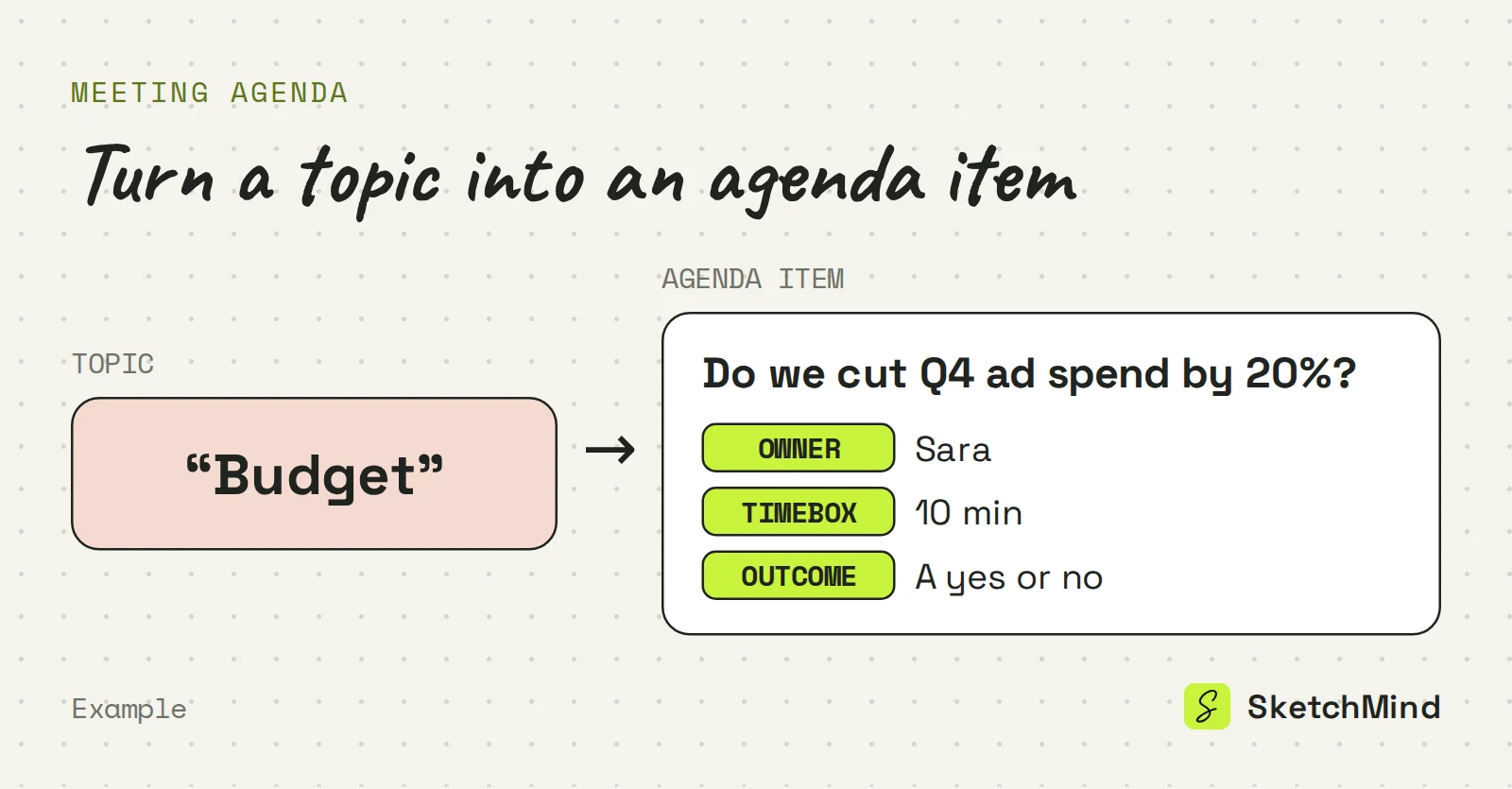
A meeting agenda is the list of items a meeting must get through, in order, with who leads each item and how long it gets. A useful agenda also says what the meeting should produce. Without that, "Budget" could mean a five-minute update or an hour-long argument.
What should a meeting agenda include?
A meeting agenda should include a purpose, items phrased as questions, an owner per item, an outcome per item and a parking lot. Two changes do most of the work: write items as questions, because a question has a finish line, and give every item an owner and an outcome, so it is clear who starts and what "done" looks like.
The parts of a meeting agenda
|Part|The question it answers|Example|
|---|---|---|
|Purpose|Why are we meeting at all?|"Decide the Q4 launch date"|
|Items as questions|What exactly are we resolving?|"Do we ship with or without SSO?"|
|Owner per item|Who starts and drives this item?|"Sara, 10 min"|
|Outcome per item|What does done look like?|"A decision" or "a list of options"|
|Parking lot|Where do off-topic points go?|A visible spot, handled at the end|
Five meeting agenda examples you can copy
Each example below lists items as questions or clear actions, with a timebox per item. Adjust the minutes to the size of the group.
1. Weekly team sync (25 minutes)
- Wins and blockers: everyone, 1 minute each (10 min)
- What changed since last week that affects others? (5 min)
- One decision we need this week, owner named in advance (7 min)
- Parking lot review: keep, drop or assign (3 min)
2. Project kickoff (45 minutes)
- What are we building, in one sentence? Project lead (5 min)
- What does success look like at the end? (10 min)
- Who owns what? Roles and handoffs (10 min)
- What are the known risks and unknowns? (10 min)
- First milestone and date, agreed before anyone leaves (10 min)
3. Decision meeting (30 minutes)
- The decision we are here to make, stated up front (2 min)
- Options on the table: owner presents, no debate yet (10 min)
- Open debate, timeboxed (13 min)
- Decision made, owner and next step named (5 min)

4. Retrospective (45 minutes)
- What went well? Everyone contributes before discussion (10 min)
- What didn't? (10 min)
- What is the one thing we change next cycle? (15 min)
- Actions with owners: no owner, no action (10 min)
5. Client status update (30 minutes)
- Where we are vs. plan, in one visual (5 min)
- What we shipped since last time (5 min)
- What we need from you: decisions and inputs (10 min)
- Next milestone and date (5 min)
- Questions (5 min)
Copy the structure, not the timings. A four-person team does not need the same timeboxes as a twelve-person one. The pattern that holds up: questions, owners and a visible parking lot.
Why do meeting agendas fail?
Meeting agendas fail for two reasons: they list topics instead of questions, and they live where nobody looks during the meeting. "Budget. Roadmap. Hiring. AOB." tells no one what the meeting should produce. And an agenda in a calendar invite is invisible exactly when it matters, mid-meeting, when the conversation drifts.
Put the agenda on the shared screen from the first minute. Working through it item by item gives the meeting a visible finish line, and it makes the item that has been "5 minutes" for half an hour hard to ignore. Decisions that come out of the meeting then need owners and dates; the action plan example shows that step.
How to make a meeting agenda in SketchMind
In SketchMind, an AI whiteboard, an agenda fits the Checklist output of Create with AI.
- Open Create with AI and pick Checklist.
- Describe the meeting, for example: "agenda for a 30-minute decision meeting on our Q4 launch date, four people, decision at the end."
- Click "Create checklist". One editable checklist frame lands on your board in about 15 seconds.
Present it straight from the board and share the board by link; viewers are unlimited on every plan. During the meeting, anyone with edit access can add a comment on an item and @mention a colleague, and comments can be resolved once the point is handled, which is how a parking lot should work. You can also build the agenda by hand with the Checklist tool in the toolbar.
A note on naming: SketchMind also has an Agenda page (/agenda). That is a planner for your own tasks by day, week or month, not a meeting agenda. Actions from the meeting can go there, next to Goals, Plans and a Focus timer, all included on every plan. For AI boards, Free includes 5 as a one-time allowance, Pro ($19/month) includes 20 per month, and Pro Creator is unlimited within fair use (about 200 per month).
Last updated: September 25, 2026. Checked against the current SketchMind app.
How long should a meeting agenda be?
Three to six items for most meetings. If you have more, you are either running a workshop and should timebox harder, or holding two meetings in one slot and should split them.
Should every meeting have an agenda?
Every meeting with more than two people, yes. For a 1:1, a shared running list of topics does the same job with less ceremony.
What is the difference between an agenda and meeting minutes?
An agenda is written before the meeting and says what should happen; minutes are written after and say what did. An agenda with owners and outcomes per item, updated during the meeting, gets you most of the way to minutes.
Can SketchMind create a meeting agenda?
Yes. Open Create with AI, choose Checklist and describe the meeting; you get one editable checklist frame on your board in about 15 seconds, which you can present from the board and share by link.
Is the Agenda page in SketchMind for meeting agendas?
No. The Agenda page (/agenda) is a planner for your own tasks by day, week, month, quarter or year. Meeting agendas are made on a board, for example with the Checklist output or the Checklist tool.