
Checklist templates: the anatomy of a list people actually finish
What a checklist template is, how to phrase items so they can only pass or fail, and when your list is really a to-do list or a plan.
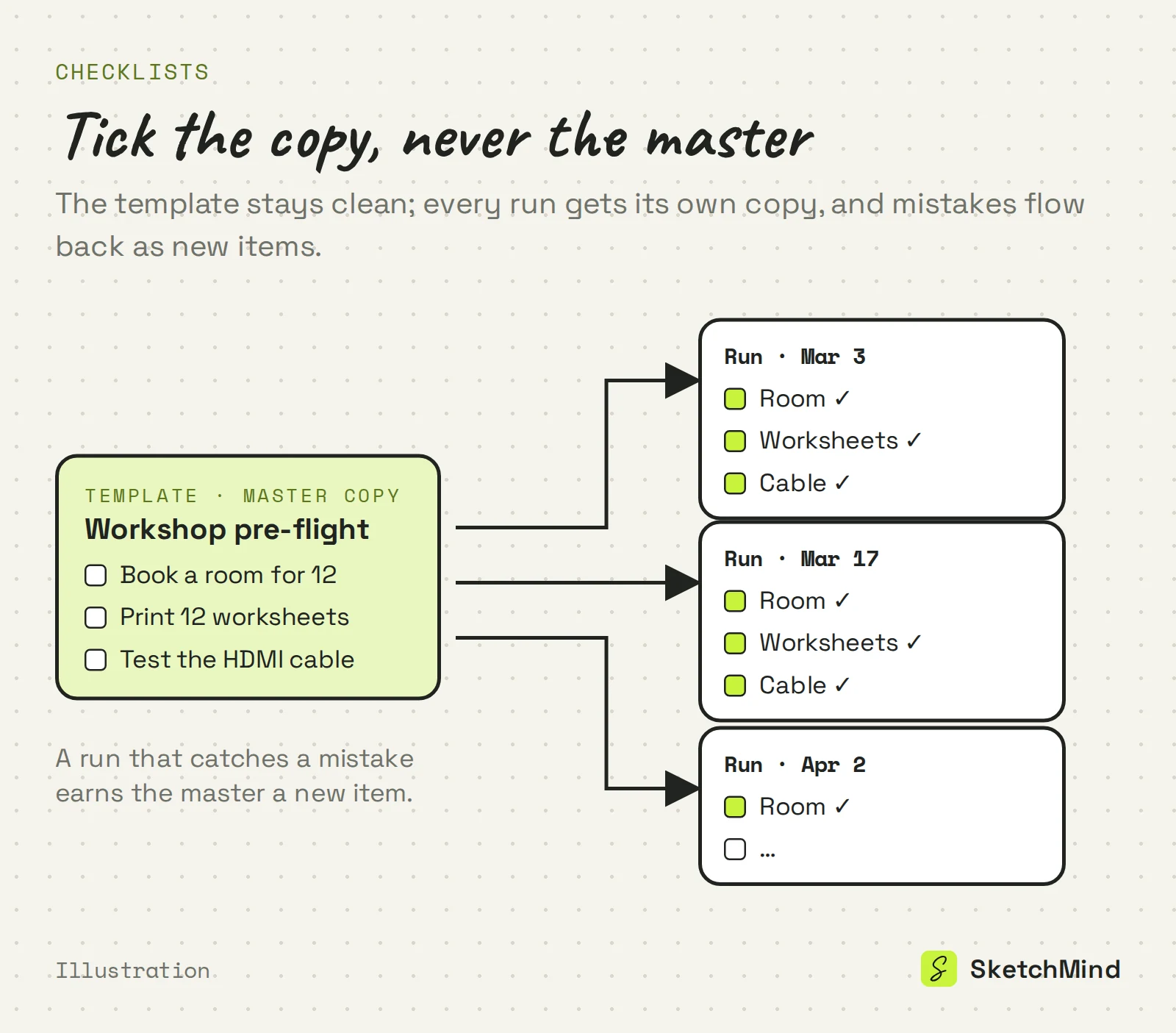
- A checklist template is the master copy for work that repeats: tick a copy per run, never the master.
- A good item starts with a verb, ends with something countable, and holds exactly one action.
- Only steps that actually get skipped belong on the list; past 15 items you are probably looking at a plan.
- Build the template right after doing the work once, and update it every time a run catches a mistake.
- In SketchMind, describe the run in Create with AI and Checklist returns one editable checklist frame in about 15 seconds.
Most checklist templates are just empty bullet points with a border. The value was never the layout: it is deciding which steps deserve to be checked at all, and phrasing them so "done" is not a matter of opinion.
Short answer: A checklist template is a reusable master list for work that repeats: the steps in order, each phrased so it can only pass or fail. To make one, write down every step right after doing the work once, cut what a competent person would never miss, phrase each item as a verifiable action, and update the template every time a run catches a mistake. Reuse the master; never tick it off directly.
What is a checklist template?
A checklist template is the master copy of a checklist: the list of steps for a piece of work that repeats, kept separate from any single run. Before each run you make a copy, tick that copy, and leave the template clean for next time. That separation is what makes it a template. A list you tick once and throw away is just a to-do list, and a template you tick directly is stale after its first use.
What makes a good checklist item?
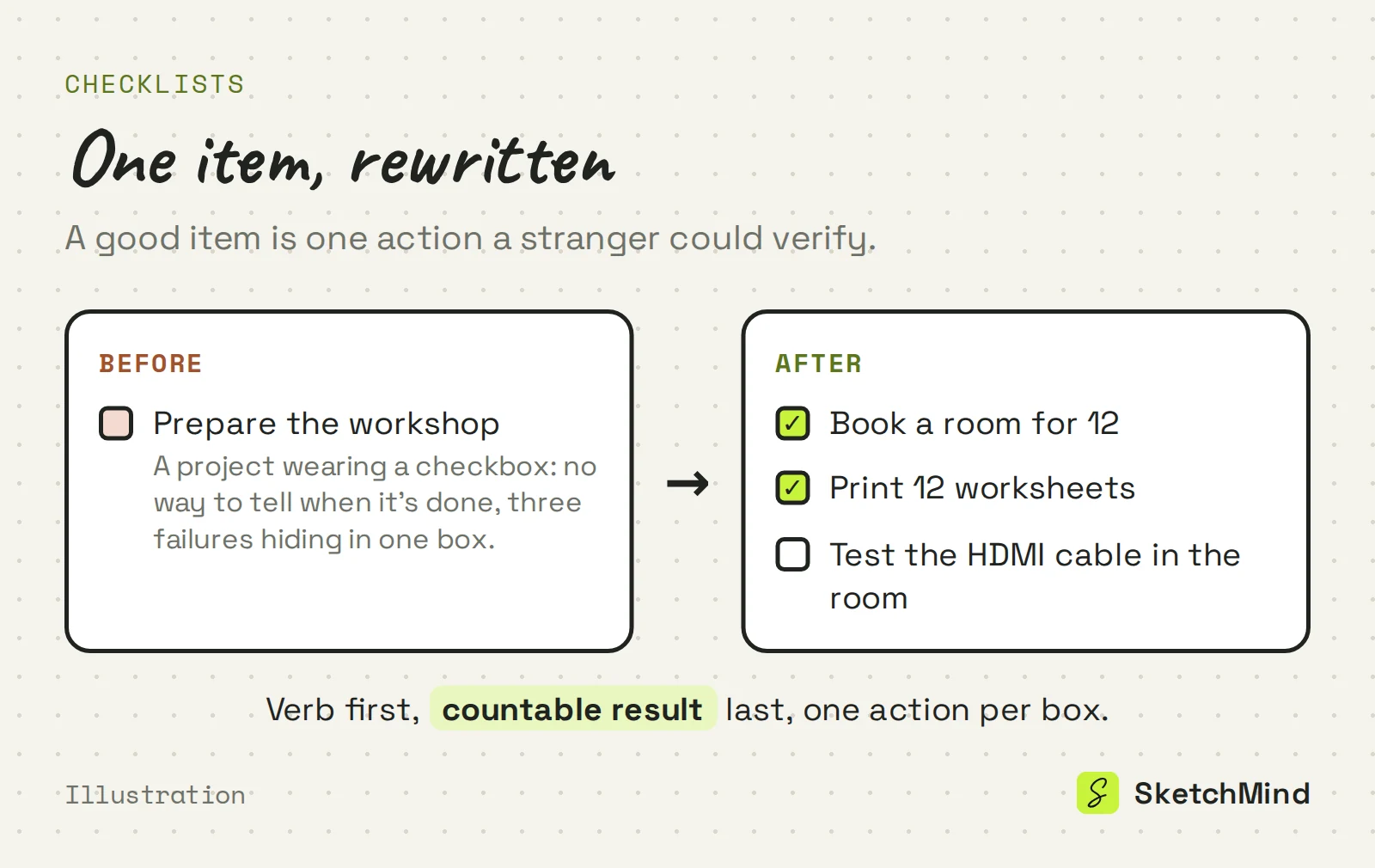
A good checklist item is one action, phrased so a stranger could verify it happened. Three rules cover most of it:
- Start with a verb, end with something countable. "Book a room for 12" can be checked. "Prepare the workshop" cannot; it is a project wearing a checkbox.
- One action per item. "Print handouts and test the projector" hides two failures in one box. Split it.
- Only steps that get skipped. The point of a checklist is catching the forgettable, not narrating the obvious. If nobody has ever missed the step, it is noise between the items that matter.
Length follows from the third rule: pre-flight checklists in aviation are famously short, because they only hold the killers. If your template passes 15 items, it probably contains a plan trying to get out.
How do you make a checklist template?
Make the template from a real run, not from imagination.
- Do the work once and write every step down as you go. Memory edits out the boring steps, and the boring steps are the ones that get skipped.
- Cut half. Remove anything a competent person doing this job would never miss.
- Rephrase each survivor as pass/fail. Verb first, countable result.
- Put them in the order the work happens. A checklist you can walk through top to bottom gets used; one that jumps around gets abandoned mid-run.
- Update the master after every run that catches something. A mistake that slipped through earns a new item; an item nobody has needed in ten runs earns deletion.
Do you need a checklist, a to-do list or a plan?
Pick by what the list has to survive: repetition, a day, or a deadline.
Three lists that look alike
|Question|Checklist|To-do list|Plan|
|---|---|---|---|
|Does the work repeat?|Yes, same steps each time|No, today's mixed tasks|No, one project|
|What does an item need?|Pass/fail phrasing|A day it sits on|An owner and a date|
|When is it done?|Every box, every run|End of the day|At the deadline|
Steps with owners and dates are a plan, and pretending they are a checklist is how deadlines hide. This action plan example shows what that shape looks like when it is honest about being a plan.
Why do checklist templates go stale?
Templates go stale when they live in a document nobody owns: the process changes, the file doesn't, and after two runs of ticking boxes that no longer match reality, people stop trusting the list and go back to memory. The fix is the update rule above, plus keeping the checklist where the work is visible instead of in a folder. Project checklists goes deeper on why documents are where checklists go to die.
How to make a checklist in SketchMind
In SketchMind, an AI whiteboard, you describe the work and get a first draft of the list instead of formatting one. Open Create with AI, pick Checklist and write what the run is, for example "Pre-flight checklist for a client workshop" or "Everything to do before the beta launch on Friday". Click Create checklist and one editable checklist frame lands on your board in about 15 seconds, grouped into sections you can reorder, rewrite or cut. The describing is where your knowledge of the work goes in, so the cut-half rule from above still applies to what comes back.
The frame is normal board content: tick items during a run, add checkbox items by hand on the canvas, and share the board by link so the team sees the same list, with unlimited viewers on every plan. Bigger changes go through Rewrite on the frame ("split the venue items into their own section"). The Free plan includes 5 AI boards as a one-time allowance, no credit card needed.
Last updated: September 28, 2026. Checked against the current SketchMind app.
What is a checklist template?
The master copy of a checklist for work that repeats: the steps in order, each phrased so it can only pass or fail. Each run gets its own copy; the master stays clean.
What is the difference between a checklist and a to-do list?
A checklist holds the same steps for work that repeats, and every box must be ticked every run. A to-do list holds today's mixed tasks and is thrown away when the day ends.
How many items should a checklist have?
Only the steps that actually get skipped. Aviation pre-flight checklists are short on purpose; once a list passes about 15 items, it is usually a plan in disguise.
Can AI make a checklist?
Yes. In SketchMind's Create with AI you describe the run, pick Checklist, and one editable checklist frame lands on your board in about 15 seconds. You still cut it down to the steps that matter.
Is SketchMind free to try for checklists?
Yes. The Free plan includes 5 AI boards as a one-time allowance, with no credit card to start, and you can share a board by link with unlimited viewers.