
Lesson plan template: the five parts that do the work
What a lesson plan template needs: objective, materials, hook, timed activities and a check for understanding, plus a faster way to fill it.
- A lesson plan template needs five parts: objective, materials, hook, activities with timings, and a check for understanding.
- Write the plan back to front: objective first, check second, then activities, hook and materials.
- If a box doesn't help answer one of the five questions, it is administration, not planning.
- Timings are guesses, but writing them down is what catches a 60-minute plan in a 45-minute slot.
- In SketchMind, describe the lesson in Create with AI to get 4–8 editable frames in about 40 seconds, then present them in class with reveal steps.
Search for a lesson plan template and you get thousands of grids, most of them built for a school you don't teach at. The grid was never the useful part. This guide covers what a lesson plan template actually needs to hold, how to write a lesson plan inside one, and a faster way to go from "Tuesday, photosynthesis" to something you can teach from.
Short answer: A lesson plan template is a fixed structure with five parts: the objective, the materials, a hook to open the lesson, the main activities with rough timings, and a check for understanding at the end. Any format works if it forces you to name the objective and the check; most lesson plans fail because they only list activities.
What is a lesson plan template?
A lesson plan template is a reusable structure for planning one lesson, so you decide the same things in the same order every time instead of starting from a blank page. Schools and districts often prescribe one, and they vary wildly in layout. Underneath, almost every workable format asks the same five questions: what should they learn, what do I need, how do I open, what do we do, and how do I know it landed.
That is the test for any template you find: if a box doesn't help answer one of those five, it is administration, not planning.
What should a lesson plan template include?
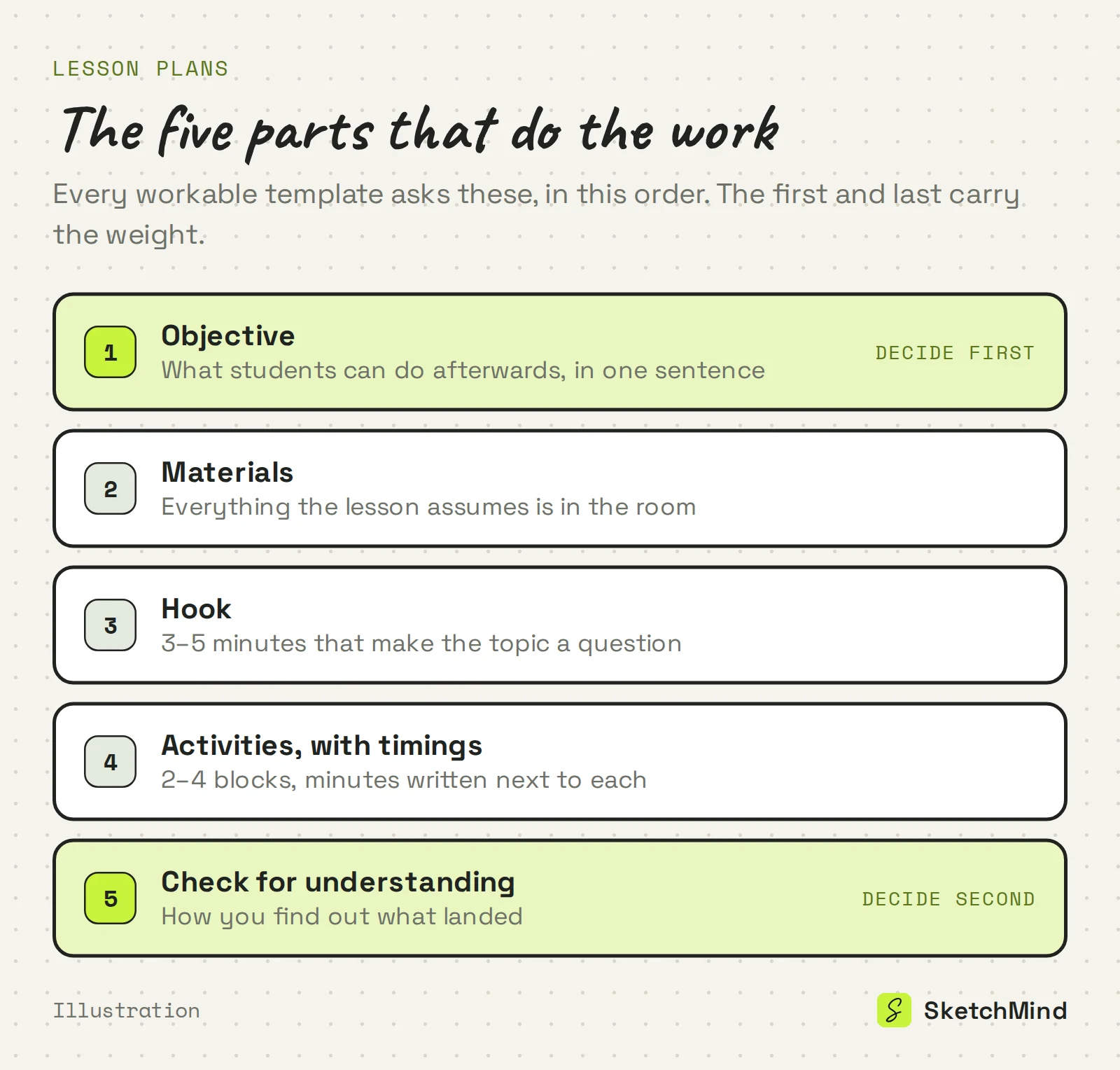
A usable lesson plan template includes five parts, and the first and last carry most of the weight.
- Objective. One sentence, phrased as what students can do afterwards: "can explain why the moon has phases" beats "cover moon phases".
- Materials. Everything the lesson needs in the room: handouts, devices, that one adapter. This is the part you check the morning of.
- Hook. The first three to five minutes that make the topic a question worth answering, before any explanation starts.
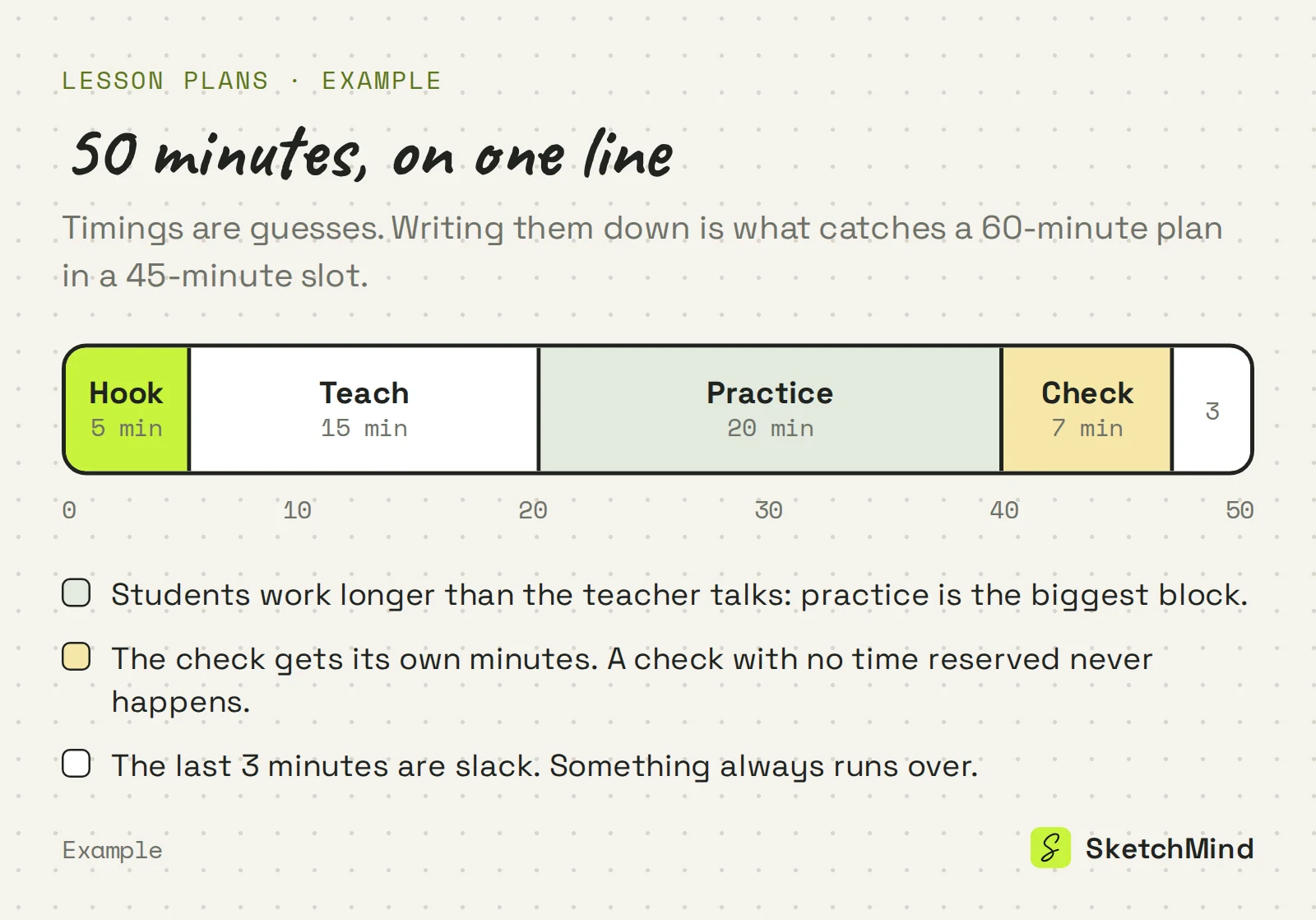
- Activities with timings. The body of the lesson as two to four blocks, each with a rough number of minutes. Timings are guesses, but writing them down is what makes you notice a 60-minute plan in a 45-minute slot.
- Check for understanding. How you find out what actually landed: an exit ticket, two questions, one problem solved solo. If the template has no box for this, add one.
How do you write a lesson plan?
Write a lesson plan back to front: decide the objective and the check first, then fill in the middle.
- Write the objective as a sentence a student could say. "I can name the three branches of government and what each does."
- Decide the check for understanding. What will you ask at minute 40 to see if the objective happened? Writing this second keeps the whole lesson pointed at it.
- Choose two to four activities that get there. For each one, note the minutes and what students are doing, not just what you are presenting.
- Pick the hook last. Once you know where the lesson lands, the opening question is much easier to find.
- List the materials. Walk through the plan once and write down every physical thing it assumes.
Which lesson plan format should you use?
Use the format your school expects; if the choice is yours, pick by lesson type rather than loyalty.
Three common lesson plan formats
|Format|Built around|Fits best|
|---|---|---|
|Direct instruction|Explain, model, guided practice, independent practice|Skills with clear right answers|
|5E|Engage, explore, explain, elaborate, evaluate|Science and discovery-style lessons|
|Workshop model|Short mini-lesson, long work time, share|Writing, projects, studio work|
All three still reduce to the same five parts; they mostly disagree about how much time the teacher talks. For planning a longer arc rather than one lesson, the same back-to-front logic applies, and how to create a study plan shows it from the learner's side.
Why does writing lesson plans take so long?
It takes long because the template gets treated as a form to complete instead of a decision list. Filling boxes with full sentences for an audience of administrators is writing, not planning; the planning is the five decisions, which fit on an index card. Veteran teachers are not faster because they skip planning, they are faster because they only write down the decisions.
The other time sink is layout: making the grid, resizing the rows, rebuilding it next term. That part is worth automating, because none of it is thinking.
How to build a lesson plan in SketchMind
In SketchMind, an AI whiteboard, you describe the lesson instead of filling a grid. Open Create with AI and write what you're teaching, to whom, and in how many minutes, for example: "A 50-minute lesson on moon phases for grade 6: an objective, a hook, activities with timings, and an exit ticket." Choose Frames and you get 4–8 editable frames on your board in about 40 seconds, one part of the lesson per frame. You can attach your curriculum or textbook chapter as a PDF (up to 5 MB), and up to 3 links in your prompt are read when the run starts.
Two things make this format do double duty. The board is also your classroom visual: press Present and walk through the frames with reveal steps, so the hook appears before the explanation. And the prep list is one more run: choose Checklist ("One editable checklist frame · ~15 s") for the materials, and tick them off the morning of. Teacher is one of the roles in SketchMind's templates, so the starting prompts speak your language. The Free plan includes 5 AI boards as a one-time allowance, with no credit card to start. If you present the lesson itself, speaker notes covers what to keep next to your slides.
Last updated: September 28, 2026. Checked against the current SketchMind app.
What is a lesson plan template?
A reusable structure for planning one lesson: objective, materials, hook, activities with timings, and a check for understanding. Any layout works if it forces you to name the objective and the check.
What are the five parts of a lesson plan?
Objective, materials, hook, activities with rough timings, and a check for understanding. Decide the objective first and the check second; the middle follows from those two.
How detailed should a lesson plan be?
The five decisions fit on an index card. Full sentences are for administrators; the plan itself only needs what you would otherwise forget.
Can AI generate a lesson plan?
Yes. In SketchMind's Create with AI you describe the lesson and choose Frames; 4 to 8 editable frames land on your board in about 40 seconds, and you can attach the curriculum as a PDF of up to 5 MB.
Can I present a lesson plan directly in class?
Yes. In SketchMind the plan is a board: press Present and walk through the frames with reveal steps, so each part appears as you teach it.