
A complete onboarding checklist across four phases, before day one through month one, with one owner per item and the check-ins that keep it moving.
Onboarding checklists have a predictable life: printed with good intentions, half-ticked by Friday of week one, never opened again. The new hire still gets onboarded, but by improvisation, and the things nobody improvises, accounts, introductions, a real first task, are exactly the things the list was for.
Short answer: A working onboarding checklist covers four phases: before day one, day one, week one and month one, and gives every item exactly one owner and one date. Spread the items over IT, the manager, HR and a buddy instead of parking them all with HR, and close the list with a 30-day check-in rather than a tour. The full example is below.
An onboarding checklist is the list of everything that must happen around a new hire's arrival, from the laptop order to the 30-day check-in, with a name and a date on each item. It exists because onboarding is spread across people who don't share a to-do list: IT sets up accounts, the manager plans the work, HR handles payroll, and a colleague shows where the coffee is. The checklist is the one place where all of that is visible.
Onboarding checklists stall for three reasons. First, no owners: the list belongs to HR on paper, so IT, the manager and the buddy each wait to be reminded. Second, everything is dated day one, which turns the first morning into a queue and leaves the next four weeks empty. Third, the list ends at the office tour, as if onboarding were a logistics problem that stops once the badge works.
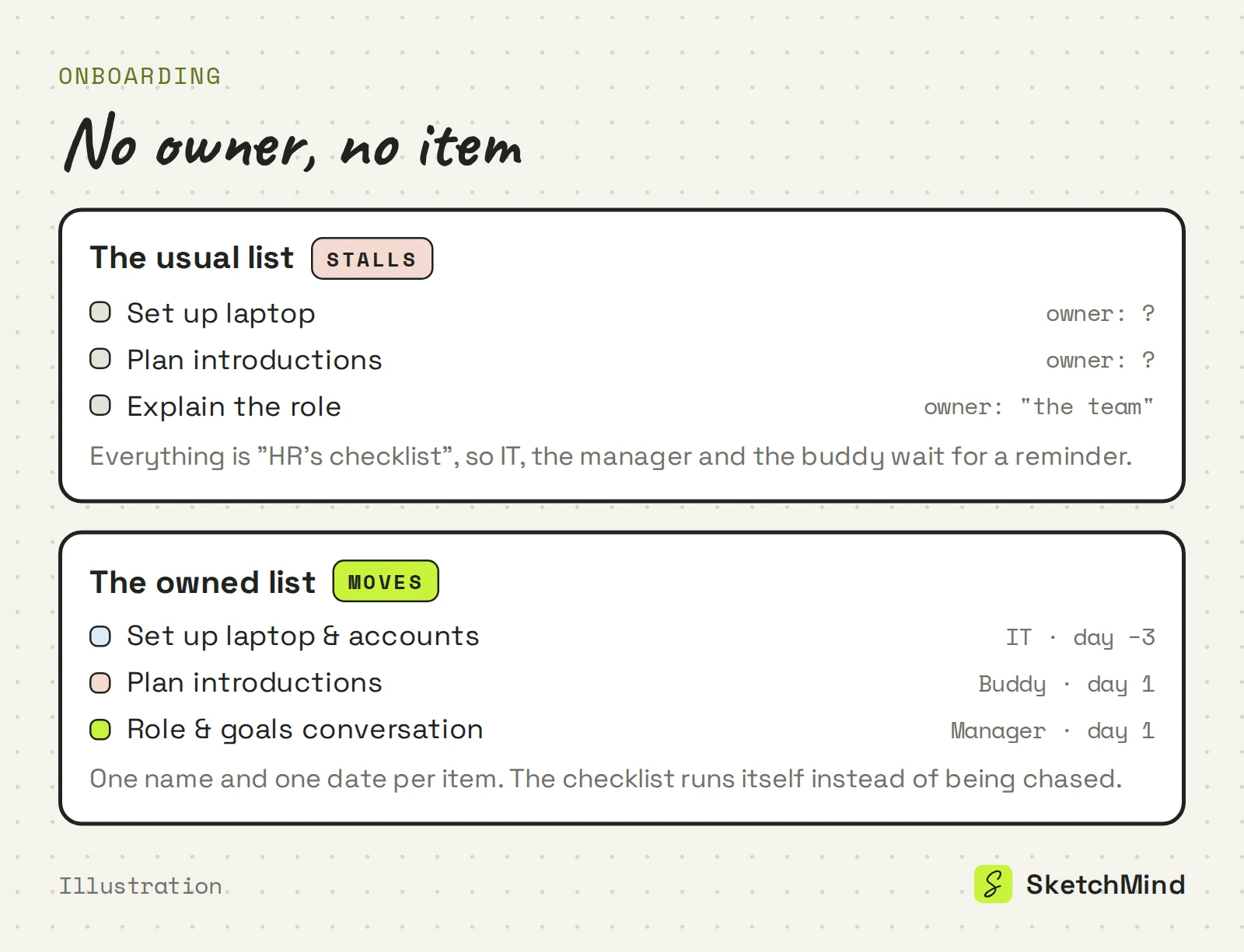
The fix for all three is the same rule the checklist template guide applies to every list: no owner, no item. If nobody's name fits an item, the item is not ready for the list.
This example onboards an office-based hire over 30 days. Owners are in brackets; adjust the items to the role, keep the shape.
Before day one (week −1)
Day one
Week one (days 2–5)
Month one (days 6–30)
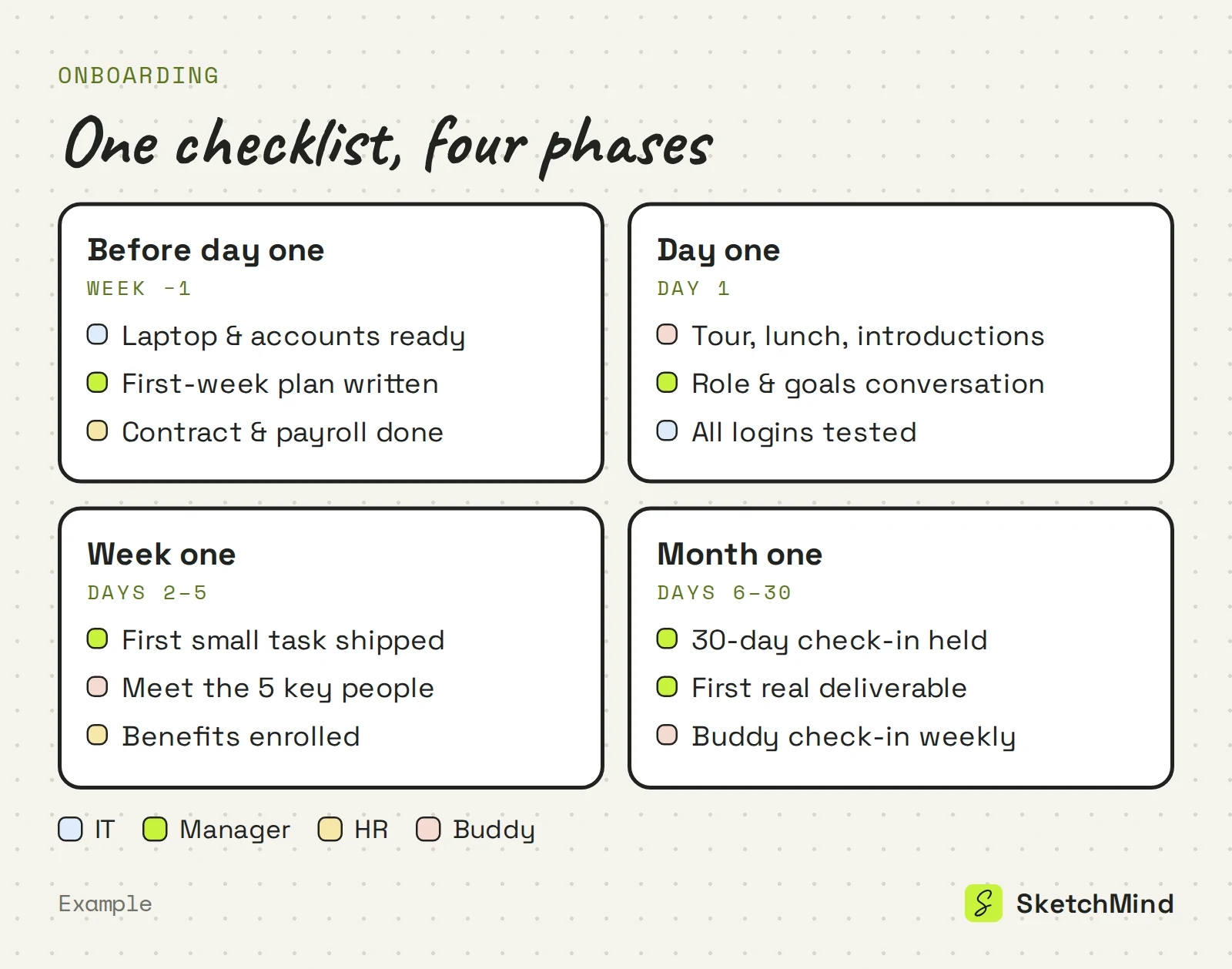
Four roles cover nearly every item, and the split keeps any one of them from becoming the bottleneck.
The four owners of an onboarding checklist
|Owner|Owns|Typical deadline|
|---|---|---|
|IT|Hardware, accounts, access|Before day one|
|Manager|The work: plan, tasks, check-ins|Day one through day 30|
|HR|Contract, payroll, benefits, policies|Before day one and week one|
|Buddy|People: introductions, lunches, questions|Day one through day 30|
The manager owns the most important items and the most-skipped ones: the first small task and the 30-day check-in. A tour can be improvised; a first week with no planned work cannot be repaired by friendliness.
The checklist ends; the plan continues. Most roles take about 90 days to reach full speed, and the natural follow-up to this list is a 30-60-90 day plan the new hire owns themselves: learn, contribute, lead. The 30-60-90 day plan guide covers writing one that survives past week one.
In SketchMind, an AI whiteboard, the checklist takes one sentence to draft.
The Free plan includes 5 AI-generated boards as a one-time allowance, with no credit card to start.
Last updated: October 1, 2026. Checked against the current SketchMind app.
Four phases, before day one, day one, week one and month one, with every item carrying one owner and one date. Hardware and accounts go before day one; a first small task goes in week one; a 30-day check-in closes the list.
Four roles split it: IT owns hardware and access, HR owns contract and payroll, a buddy owns introductions and questions, and the manager owns the work itself, the first task and the check-ins.
The laptop and all accounts, tested; the contract and payroll; a first-week plan with a first small task; and a buddy who knows they are the buddy.
The checklist covers 30 days, but most roles take about 90 days to reach full speed. After day 30, a 30-60-90 day plan owned by the new hire is the natural follow-up.
Yes. Open Create with AI, pick Checklist and describe the hire; one editable checklist frame lands on your board in about 15 seconds. The Plans tool can then draft a dated plan with steps and owners.