Ask AI now builds anything you describe, Deep build researches and checks first, and you can talk to SketchMind or let it take notes in your calls. What is new, and which plan has it.
October brought the biggest changes to SketchMind since launch. The AI dialog grew from “make me a frame” into something that builds working things on your board, and you can now talk to SketchMind instead of typing, including in your calls.
Short answer: Ask AI now has three ways to ask. Quick makes a ready-made frame in seconds, Build makes anything you describe in 1–3 minutes, and Deep build researches and checks its own work first (3–8 minutes). With voice you hold two keys and say a change, dictate up to 10 minutes into a tidy note, or let SketchMind take notes in a call without a bot joining. Build and Deep build start at Pro; voice and meeting notes are part of Pro Creator and Team.
Four things, all on the same board:
All three live in the same Ask AI box. You pick how much work you want done, and everything lands on your board as normal, editable elements.
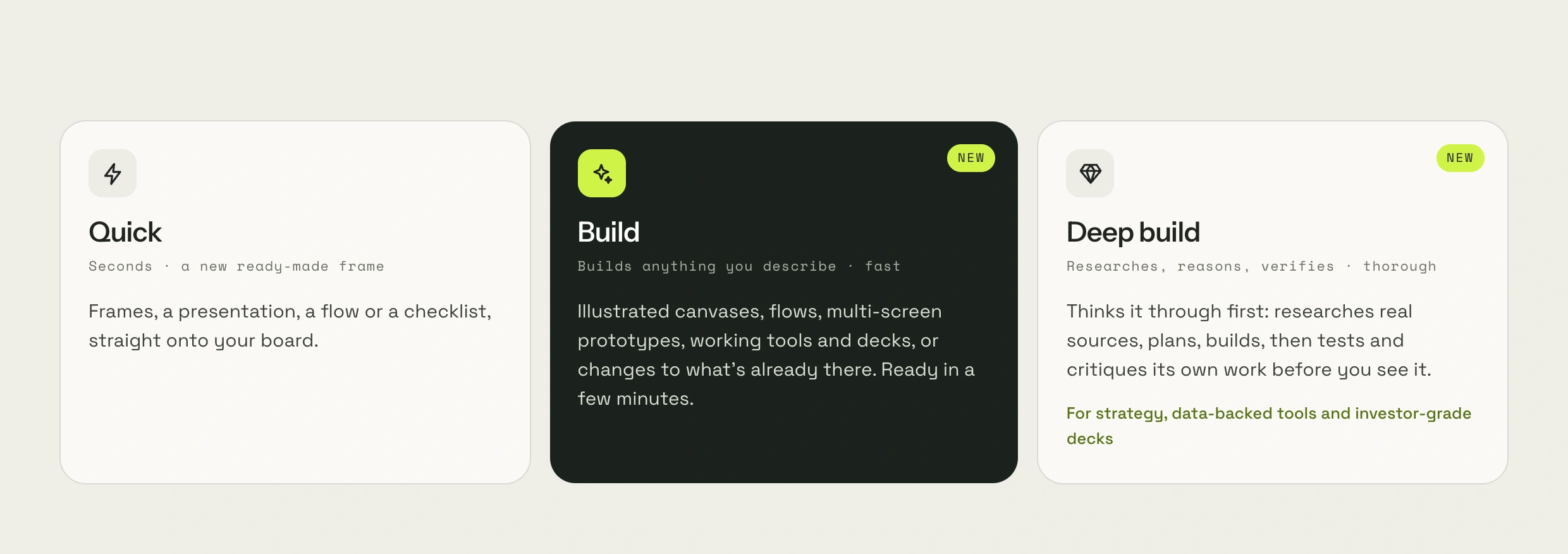
Quick, Build or Deep build?
|Mode|Takes|What you get|Use it for|
|---|---|---|---|
|Quick|Seconds|One ready-made frame: Frames, a presentation, a flow or a checklist|A fast first version|
|Build|1–3 minutes|Anything you describe, or a change to what is on the board|Most real work|
|Deep build|3–8 minutes|Researched, planned and tested work, with figures linked to their sources|Strategy, data-backed tools, investor-grade decks|
You type what you need in plain words and press Build it. Before it starts, Build asks two or three short questions about the gaps that would change the result most, such as who it is for or which numbers to use. Tap an answer, type your own, or skip and let it decide. If your request already says enough, or you ask it to finish or fix something on the board, it skips the questions and starts.
Then it works on your board while you watch. You can attach a PDF, an Excel or CSV file, a Word document or images as the source. On our homepage we show one example: the deck for a leadership talk was ready, and one Build turned it into a rehearsal coach with a countdown per slide and a Q&A drill with flip cards.

Use Deep build when the result has to hold up: a strategy, a tool that calculates something, or a deck whose numbers will be checked. It asks three or four questions first, then searches real sources, plans more of the work, builds it and checks its own output, calculations included, before you see it. You can follow every step, and figures link to where they came from. That takes 3–8 minutes instead of 1–3, which is why Build is the default for everyday work.
Voice has two modes.

Meeting notes turn a call into text, and the text into a plan. In Chrome or Edge on a computer, SketchMind listens to the browser tab of your Meet, Zoom or Teams call plus your own microphone. On other browsers and on your phone, it notes what your microphone hears. No bot joins the call, and the audio is never saved: SketchMind keeps the text only.
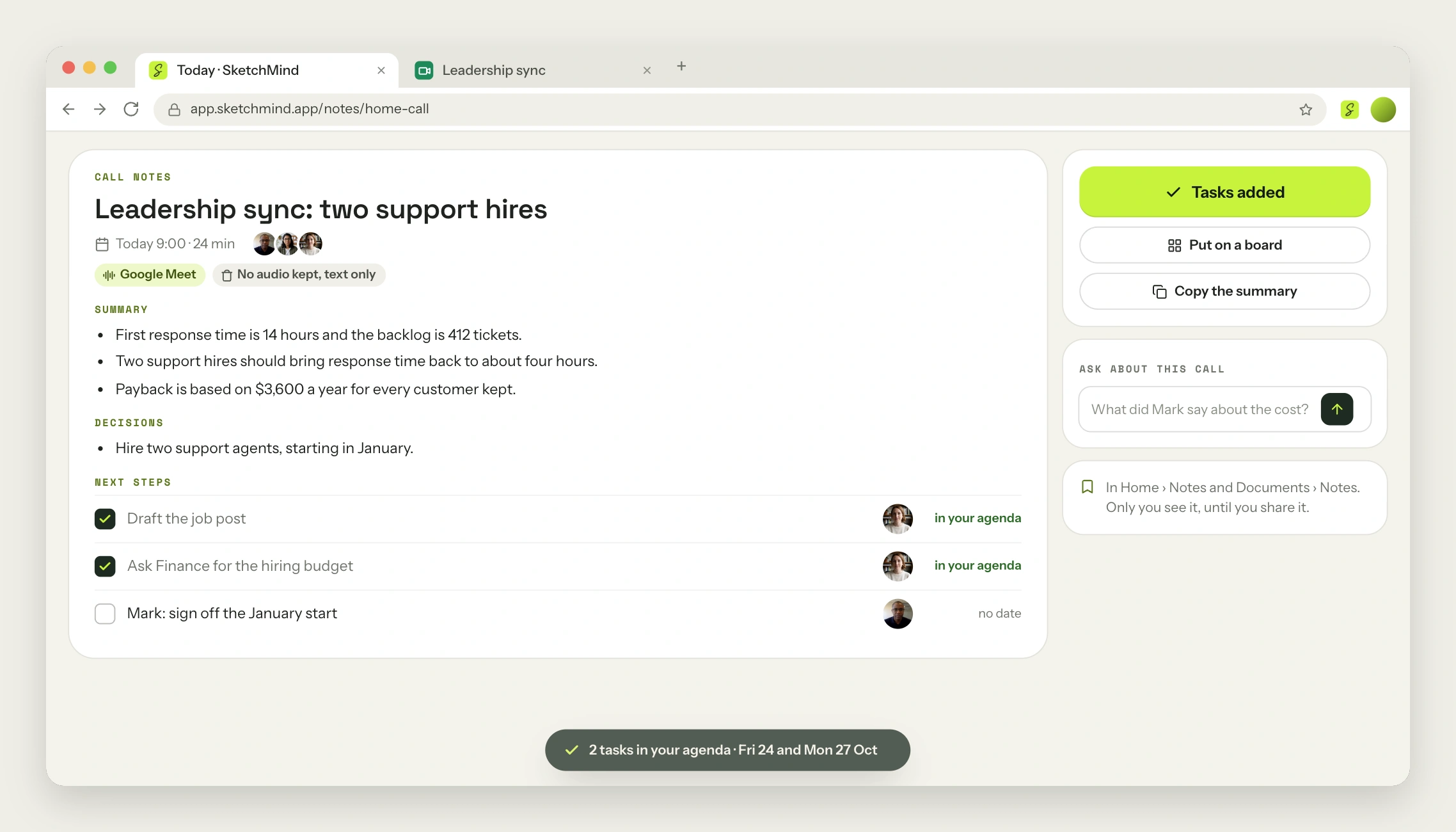
Your notes stay private until you share them or put them on a board. Telling everyone before you start is not optional: in some places everyone has to agree first. If you write minutes by hand today, our guide on how to write meeting minutes covers what a good set should contain.
What each plan includes
| |Free|Pro|Pro Creator|Team|
|---|---|---|---|---|
|Quick|Yes|Yes|Yes|Yes|
|Build|Not included|8 a month|25 a month|25 a month per seat|
|Deep build|Not included|3 a month|8 a month|8 a month per seat|
|Voice (Talk and Dictate)|Try it once|Try it once|Included|Included|
|Meeting notes|Not included|Not included|20 hours a month|20 hours a month per seat|
Allowances start again on the first of each month. On Pro Creator and Team you can buy extra runs when you need them: $1.99 per Build and $3.99 per Deep build. A free week of Pro Creator includes 3 Builds, 1 Deep build and voice, so you can try all of it on your own work. Full prices are in the pricing section.
Last updated: October 21, 2026. Checked against the current SketchMind app.
Build makes what you describe in 1–3 minutes. Deep build takes 3–8 minutes because it first researches real sources, then tests and critiques its own work, with figures linked to their sources. Use Deep build when the numbers have to hold up.
Free includes Quick. Build and Deep build start at Pro. A free week of Pro Creator includes 3 Builds and 1 Deep build, plus voice, at $0 today.
No audio is saved. SketchMind turns what is said into text while the call runs, then writes the summary, the decisions and the next steps. No bot joins your call.
Google Meet, Zoom and Microsoft Teams in Chrome or Edge on a computer. On other browsers and on your phone, SketchMind notes what your microphone hears.
Quick keeps working, and your Builds start again on the first of the month. On Pro Creator and Team you can buy extra runs: $1.99 per Build and $3.99 per Deep build.