A five-field meeting notes template: context, decisions, actions with owners, open questions and a parking lot. And how notes differ from minutes.
Most meeting notes fail at the same moment: twenty minutes after the call, when nobody can tell what was decided. A meeting notes template fixes that before the call starts.
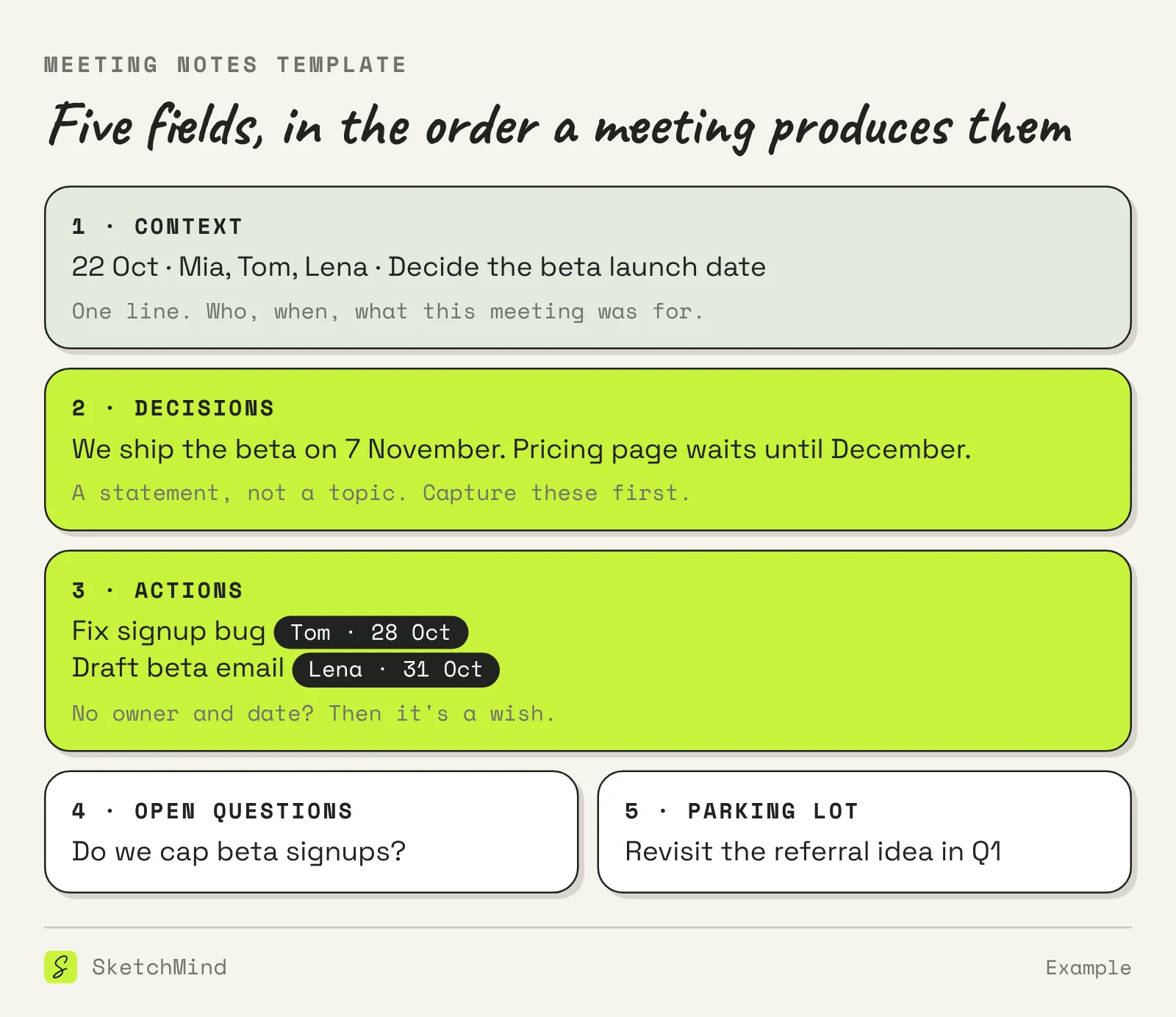
Short answer: A meeting notes template is a pre-structured page with five fields: context, decisions, actions with an owner and a date, open questions, and a parking lot. You fill the decisions and actions while the call runs, and tidy the rest within ten minutes after. A good meeting notes template mostly tells you what not to write down.
Five fields, and the order matters because it mirrors how a meeting actually produces information.
Notes are for the people doing the work; minutes are the formal shared record. Notes can be messy, personal and selective, and they live or die by whether the actions get done. Minutes follow a fixed structure, name who attended, and are often required for boards and formal bodies. If you need the formal version, our guide on how to write meeting minutes covers that format; the template on this page is the lighter, everyday one.
Notes, minutes or transcript?
| |Meeting notes|Meeting minutes|Transcript|
|---|---|---|---|
|What it is|Working capture of decisions and actions|Formal shared record|Everything said, word for word|
|Length|Half a page|One to two pages|Many pages|
|Who reads it|The people with actions|Everyone, including absentees|Almost nobody|
|When to use|Most work meetings|Boards, formal bodies|As raw material only|
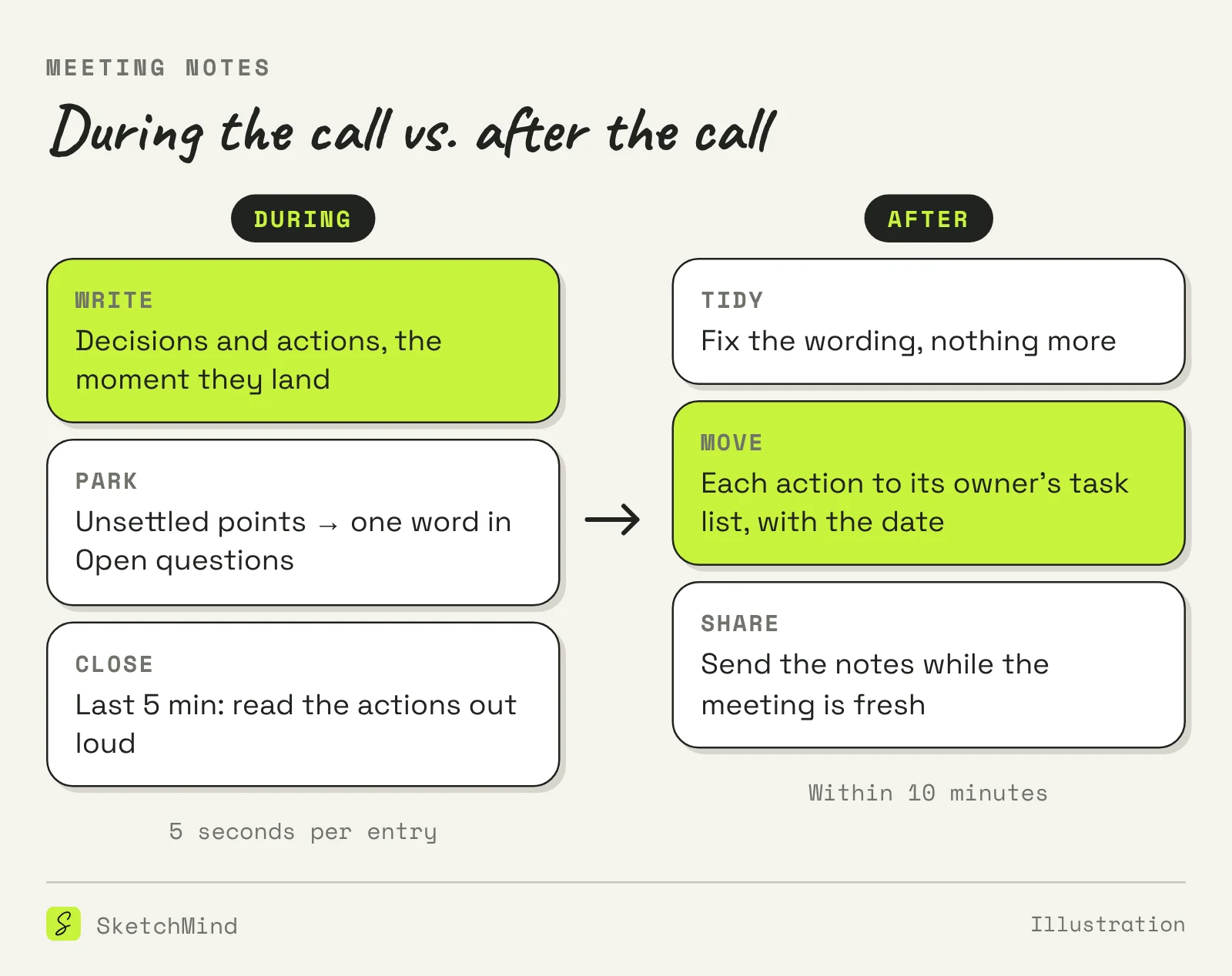
Write decisions and actions the moment they land, and almost nothing else. The template earns its keep here: with the fields already on the page, a decision takes five seconds to place, and you are back in the conversation.
The handoff from notes to task lists is where most actions die. An action that stays inside a notes document competes with every other document the owner has open; an action that lands on the owner's own task list competes only with their other work. So the last step of note-taking is moving each action, with its date, to wherever its owner tracks work. If that place is shared, even better: the next meeting starts by checking last time's actions, which takes two minutes and quietly makes people finish things.
For the capture itself, yes. SketchMind, an AI whiteboard, added meeting notes in October: it turns what is said in a Google Meet, Zoom or Teams call into text while the call runs, in Chrome or Edge on a computer, without a bot joining and without keeping the audio. When you stop, you get a summary, the decisions and the next steps, each with an owner and a date, and one click adds your tasks to your agenda. Lost the thread mid-call? Asking "What did I miss?" gives a short recap while the call continues. Meeting notes are part of the Pro Creator and Team plans, with 20 hours per month per person. The judgment stays yours: what counts as a decision, which actions matter, and telling everyone the notes are running before you start.
Last updated: October 23, 2026. Checked against the current SketchMind app.
Notes are the working capture for the people with actions; minutes are the formal record with attendees and a fixed structure. Most work meetings only need notes.
Decisions, written as statements, and actions with an owner and a date. Everything else can be reconstructed afterwards; those two cannot.
About half a page. Longer than that and the notes are drifting toward a transcript, which nobody reads.
Share them with everyone who was in the meeting and anyone who owns an action, ideally within ten minutes of the call ending.
Yes. SketchMind's meeting notes turn a Meet, Zoom or Teams call into a summary, decisions and next steps while the call runs, without a bot joining and without keeping audio. The feature is part of the Pro Creator and Team plans, with 20 hours per month.