


A four-column retrospective template, two alternative formats, a 30-minute agenda, and the one rule that keeps retros producing change.
Teams rarely skip retrospectives because they dislike reflection. They skip them because the last three produced sticky notes and no change.
Short answer: A retrospective template is a board with four columns: what went well, what did not, what we learned, and what we will try next. The template only works with one rule attached: every item in the last column gets an owner, and the next retrospective starts by checking whether those items happened.
A retrospective template is a pre-structured board a team fills at the end of a sprint or project to decide what to change in the next one. It is not a complaint box and not a celebration ritual, although both happen along the way. The output that matters is small: one to three concrete changes with a name attached.
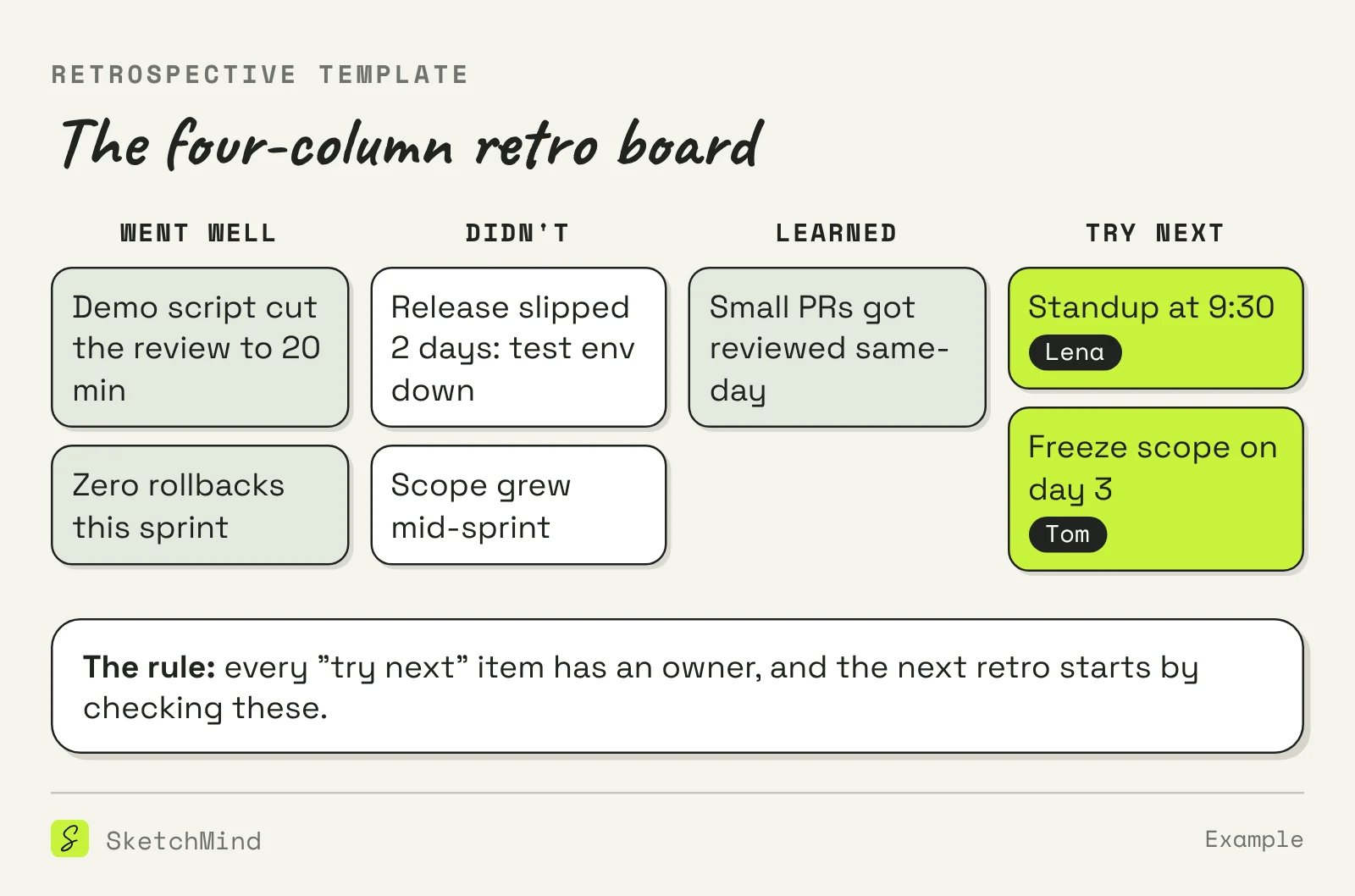
The four-column board is the default for a reason, but two other formats earn their place.
Three common retrospective formats
|Format|Prompts|Best for|
|---|---|---|
|Four columns|Went well · didn't · learned · try next|Most sprint and project retros|
|Start, Stop, Continue|What to start, stop and keep doing|Teams that want decisions fast|
|Sailboat|Wind (helps), anchors (drags), rocks (risks)|Longer projects, mixed groups|
Pick one and keep it for at least three retros. Switching formats every time feels fresh but makes the results impossible to compare.
Cadence matters as much as format. Sprint teams run a retro at the end of every sprint; kanban teams do fine with every two weeks. After an incident, hold a focused retro within 48 hours while details are fresh, and keep it to the incident. Thirty minutes is enough for a team of up to eight; past that, split the group or extend to 45.

Because the actions have no owner, or nobody checks them. When "improve communication" is the outcome, nothing can fail, so nothing happens. When "Lena moves the standup to 9:30, we review it in two weeks" is the outcome, the next retro has something to verify. Our sprint planning template makes the same point about sprints: fields with names and dates are what separate a plan from a mood board. If a retro action is big enough to need steps of its own, treat it like any other action: our action plan example shows what that looks like.
A retro board is a natural whiteboard job: columns, sticky notes, grouping, votes. In SketchMind, an AI whiteboard, sticky notes and checkboxes are regular canvas tools, so the write-alone round works the usual way. The faster start: describe the board instead of drawing it. The Checklist tile turns "retro board for sprint 12: went well, didn't, learned, try next" into one editable checklist frame in about 15 seconds, and a Frames generation sets up the four sections for a bigger group. Afterwards, the try-next items can go to the agenda of whoever owns them, which is exactly the follow-up check the next retro needs. Share the board with a link; viewers are unlimited on every plan.
Last updated: October 23, 2026. Checked against the current SketchMind app.
What went well, what did not go well, what we learned, and what we will try next. The last column is the only one that changes the next sprint.
Thirty minutes works for a team of up to eight: check last actions, write alone, group and read, vote, decide.
One to three, each with an owner. More than three and none of them happen.
A review looks at the product that was built; a retrospective looks at the way of working. They are separate meetings with separate outcomes.
Yes. Any recurring block of work benefits: marketing campaigns, events, teaching periods. The format carries over unchanged.

