
Status report template: the five fields that keep a project honest
A status report template with five fields, a 15-minute writing routine, and a way to share one link instead of a new attachment every week.
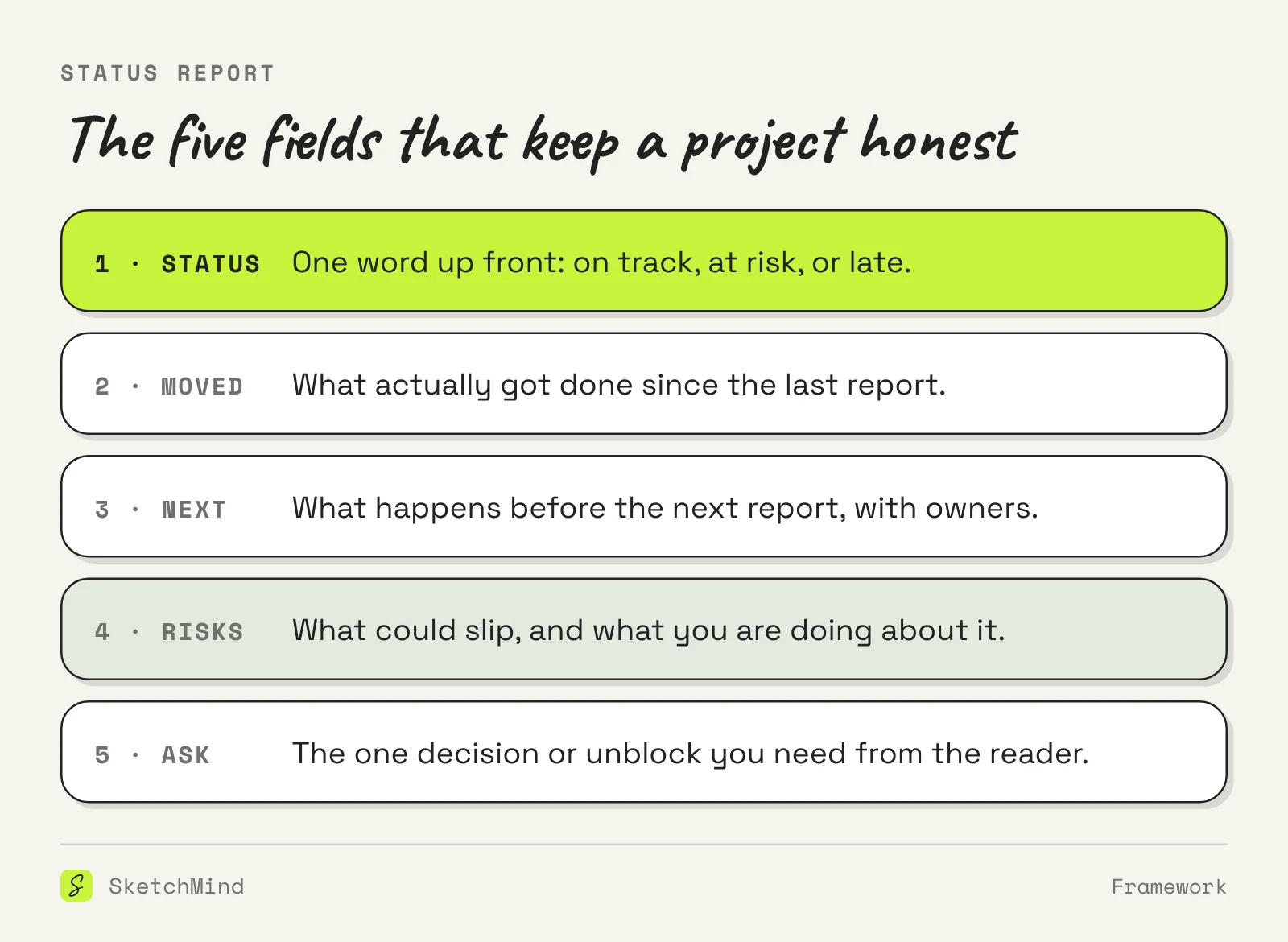
- A status report needs five fields: overall status, what moved, what happens next, risks, and one clear ask for the reader.
- Lead with the status word. On track, at risk, or late in the first line, so nobody has to dig for the real answer.
- Keep the same format every week. A report that changes shape forces readers to re-learn it, and the gaps stop being visible.
- Share one link instead of sending attachments. Everyone reads the same version, and last week's copy stops circulating.
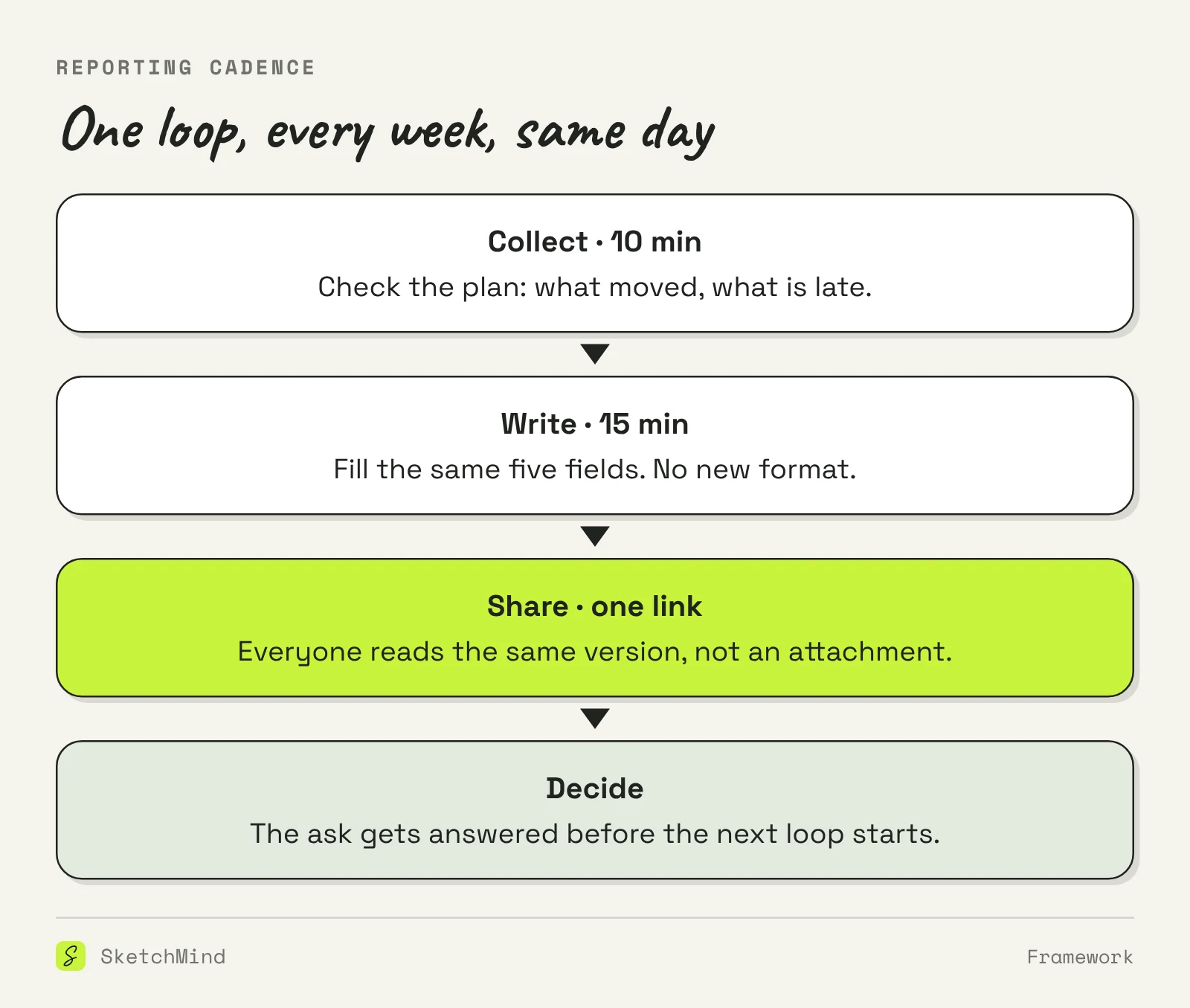
- Fifteen minutes is enough: ten to collect, fifteen to write, one link to share.
Most status reports get skimmed, filed, and forgotten, and the project surprises everyone anyway. The format below is built to prevent exactly that.
Short answer: A status report template needs five fields: the overall status in one word, what moved since last time, what happens next, the risks you see, and one ask for the reader. Written weekly in the same format, it takes about fifteen minutes and replaces most "quick update?" messages.
What goes in a status report?
Five fields, always in the same order. The order matters because readers scan from the top and stop early.
- Status. One word up front: on track, at risk, or late. This is the line executives actually read, so never bury it.
- Moved. What got done since the last report. Done means finished, not in progress.
- Next. What will be done before the next report, with an owner per item.
- Risks. What could slip, and what you are doing about each one. An empty risk field on a six-month project is a risk in itself.
- Ask. The one decision or unblock you need from the reader, with a date. This field is what makes the report worth sending.
How do you write a status report in 15 minutes?
The fastest status report comes from a plan that is already honest, so the writing is collection, not archaeology.
- Open the project plan and mark what moved and what slipped. Ten minutes, and if this step takes longer, the problem is the plan, not the report. A project timeline that is kept honest after kickoff makes this step trivial.
- Fill the five fields in the same order as last week. No new sections, no new formatting ideas.
- Write the ask last, and write it as a question with a deadline: "Can legal confirm the data clause by Thursday?"
- Read it once as the receiver. If the status word and the ask do not survive a ten-second skim, rewrite those two and leave the rest.
What does a good status report look like?
A good status report fits on half a page and reads like this: "Status: at risk. Moved: checkout flow shipped to staging; payment provider contract signed. Next: load test Thursday (Dana), copy review Friday (Jo). Risks: the load test has no fallback slot before launch week, so a failure there moves the date. Ask: confirm the launch-week support rota by Wednesday."
Notice what it does not contain: no activity lists per person, no hours spent, no restating of the project goal. Those belong in the plan, which the report links to.
Status report, progress report, or executive summary?
The three get mixed up because they all summarize work. They answer different questions for different readers.
Three formats, one line each
|Format|Answers|Cadence|
|---|---|---|
|Status report|Are we on track, and what do you need from me?|Weekly|
|Progress report|What was done in this period?|Weekly or monthly|
|Executive summary|What should a decision-maker know and decide?|Once, per document|
If your report goes to someone who only decides, you may need an executive summary instead: one page, built around the decision.
How do you keep a status report from going stale?
Reports go stale for two reasons: the format drifts, and the distribution multiplies. Fix the format by refusing to redesign it. Week four's report should look identical to week one's, because the value is in the comparison. When the fields stay put, a reader sees in seconds that the same risk has been open for three weeks, which is the conversation the report exists to force.
Fix the distribution by sharing one link instead of attachments. The moment a report is a file, old versions circulate, and someone decides based on week two while you are in week five.
Where does SketchMind fit?
In SketchMind, an AI whiteboard, the status report stops being a separate chore because it is written from the board where the work already lives. Keep the project as frames on a board, then use Make a document, pick the sections that belong in this week's report, and press Write document. Writing takes about ten seconds plus eight per chapter. The result is shared as a link, and anyone with the link can view the document, so there is one current version instead of a trail of attachments. When the board changes after the report is written, the document says "Board changed since this was written" with an Update action, which is the honest version of "final_v3.docx". Readers in a hurry get a 1-minute view instead of the full text. If the project runs as a plan in SketchMind, the status field almost writes itself: a plan shows "On track" or "Running N days late" from the actual steps, so the status word in your report comes from the work, not from optimism.
Last updated: October 26, 2026. Checked against the current SketchMind app.
What is the difference between a status report and a progress report?
A status report answers "are we on track?" and includes risks and an ask. A progress report only describes what was done. Most teams need the first and write the second.
How long should a status report be?
Half a page. Five fields with one to three sentences each. If a reader wants more detail, link to the plan instead of pasting it in.
How often should you send a status report?
Weekly for active projects, on the same day each week. Biweekly reports tend to turn into memory tests: too much has happened to summarize honestly.
Who is a status report for?
The people who can unblock you: a sponsor, a client, or your manager. Write it for them, not for your own team, which already knows the details.
Should a status report include a traffic light?
A status word works the same way: on track, at risk, or late. What matters is that it comes first and that "at risk" is used honestly, not as a polite word for late.