
A filled-in executive summary example, the five parts every summary needs, how long it should be, and how to write one from a finished document.
Most executive summaries are written first and read never. A good one is the opposite: written last, and often the only page anyone reads.
Short answer: An executive summary is a one-page version of a longer document that states the problem, the recommendation, the key numbers, the main risks and the decision being asked for. A strong executive summary example follows that order and stands on its own, because most readers never go past it. Write it after the full document is finished, not before.
An executive summary is a short section at the front of a report, proposal or business plan that gives a decision-maker everything they need to act, without reading the rest. It is not a teaser and not an introduction: it carries the conclusion, the numbers behind it and the ask. The test is simple. If the reader stops after this page, could they still make the decision? If not, the summary is not finished.
Five parts, in the order the reader needs them:
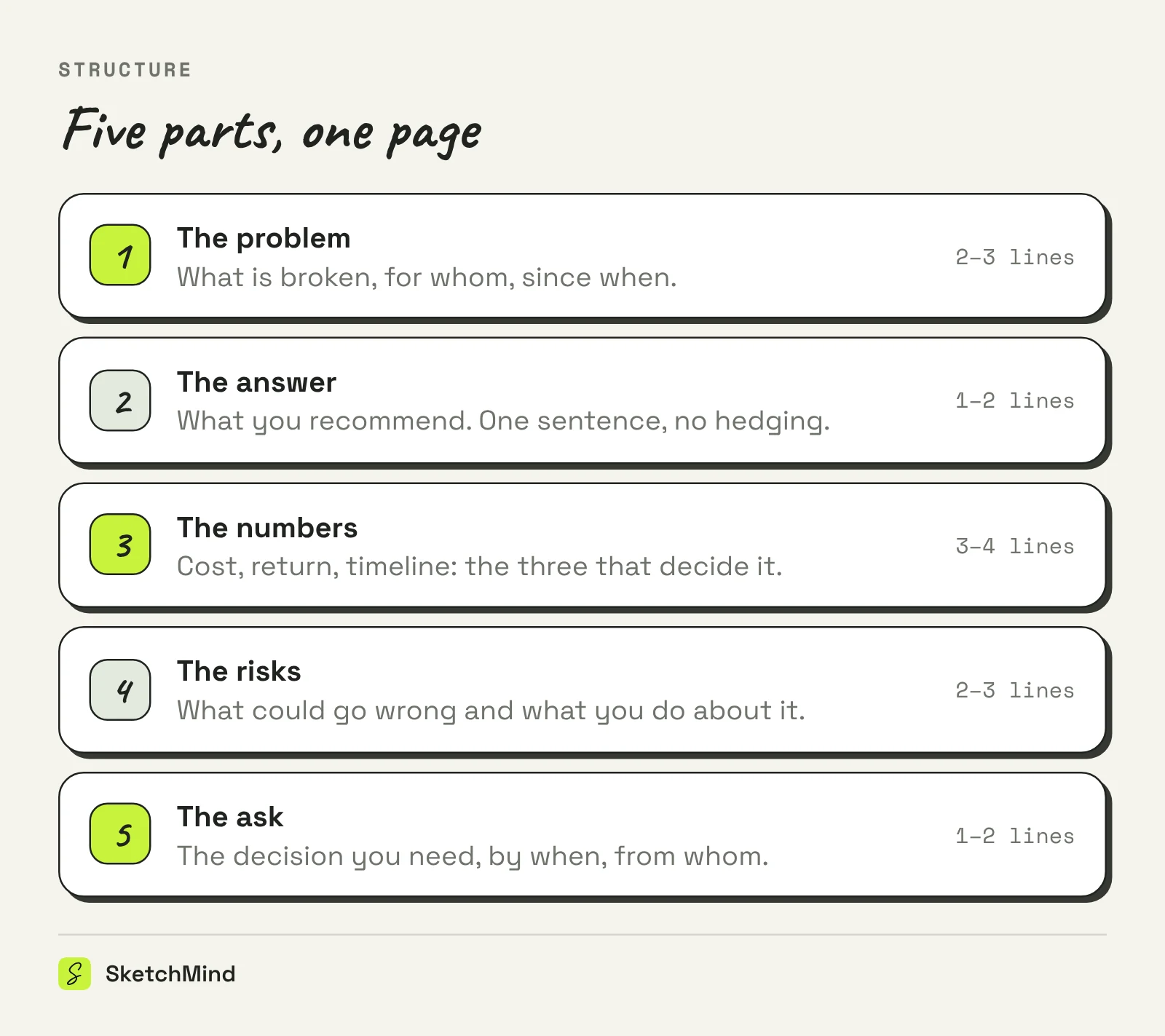
Here is a filled-in example for a fictional proposal to replace manual invoicing (all figures illustrative):
The problem. Invoicing at Delta Services is manual: three people spend a combined 60 hours a month creating, checking and chasing invoices, and 4% go out with errors that delay payment by two weeks on average.
The answer. We recommend moving to automated invoicing software in Q1, starting with the 80% of invoices that follow a standard template.
The numbers. Setup costs $12,000 plus $450 per month. At current volumes the switch pays for itself in month seven, and frees roughly 50 of the 60 hours for collections work.
The risks. The main risk is the 20% of non-standard invoices; these stay manual in phase one. Migration errors are contained by running both systems in parallel for one month.
The ask. Approval for the $12,000 setup budget by November 15, so the parallel run completes before the fiscal year closes.
Notice what is missing: background, methodology, praise for the current team, and anything that starts with "In today's fast-moving world". The summary earns its page by leaving those out.
One page is the working rule; for long reports, aim at 5 to 10 percent of the document's length, and stop at two pages no matter what. Past that it is not a summary, it is a shorter report. If one page feels impossible, the problem is usually an unclear recommendation, not a lack of space.
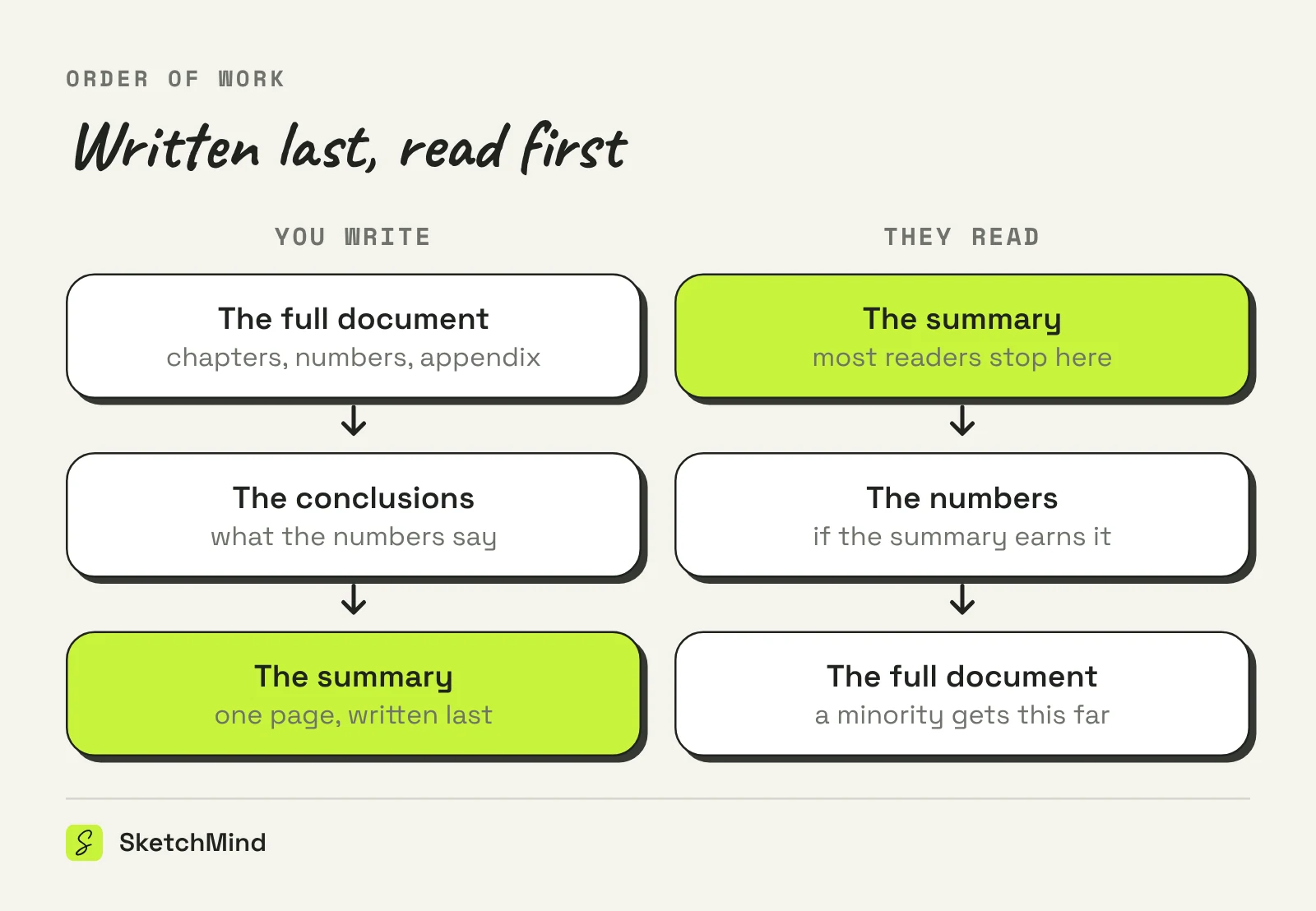
The order of work is the opposite of the order on the page:
Three one-page formats, three different jobs:
Which one-page format do you need?
|Format|Attached to|Job|
|---|---|---|
|Executive summary|The front of a longer document|Carry the decision for busy readers|
|One-pager|Nothing; stands alone|Introduce or pitch something|
|Abstract|Academic papers|Summarize findings for search and screening|
If the page has no longer document behind it, you are writing a one-pager, and slightly different rules apply.
If the thinking behind the document lives on a whiteboard, the document and its summary can come from the same place. In SketchMind, an AI whiteboard, Make a document turns the sections of a board into a written document: pick the chapters, press Write document, and it takes about 10 seconds plus 8 per chapter. Readers then choose Full or a 1 minute view, which is the summary read for people who will not open all chapters, and Download PDF produces the file for the meeting. When the board changes after writing, the document says "Board changed since this was written" with an Update action, so the summary never quietly drifts from the source. Sharing is a view link: anyone with the link can view the document. Document exports are part of Pro (3 PDF exports per month) and unlimited on Pro Creator and Team. The route from rough frames to a sendable document is covered in from board to document.
Last updated: October 15, 2026. Checked against the current SketchMind app.
A one-page version of a longer document that states the problem, the recommendation, the key numbers, the risks and the decision being asked for. It stands on its own for readers who go no further.
Last. It distills the conclusions of a finished document; written first it becomes a promise the document then has to keep.
One page as the working rule, or 5 to 10 percent of the document's length for long reports. Stop at two pages.
Yes: the two or three figures the decision turns on, usually cost, return and timeline. Leave the full tables in the document.
No. An abstract summarizes the findings of an academic paper for screening; an executive summary carries a recommendation and an ask for a business decision.