
What is an AI prompt? A plain-English guide (with examples that work)
An AI prompt is the brief you give an AI. How prompts work, what a good one contains, and vague-to-usable examples, including prompts that make boards.
- An AI prompt is the text you give an AI to say what you want; the useful mental model is a brief, not a magic formula.
- Whatever you leave out, the AI fills with the most average assumption, which is why vague prompts give average output.
- Strong prompts state the outcome first, then the audience, scope, constraints and the context no model could guess.
- The test of a usable prompt: it would also work handed to a colleague.
- A prompt can produce a visual result: in SketchMind you pick Frames, Presentation, Flow or Checklist and get an editable board.
Everyone is suddenly expected to know how to "prompt", and most explanations either drown you in jargon or treat it as a secret skill. It is neither. The idea is simple; what takes practice is being specific.
Short answer: An AI prompt is the text you give an AI tool to tell it what you want: a question, an instruction or a description of the result. The AI works only with what the prompt says and fills every gap with the most average assumption, so a good prompt names the outcome, the audience and the context the AI cannot guess.
What is an AI prompt, in plain words?
An AI prompt is a brief. It is the same kind of brief you would give a colleague, a designer or a freelancer. "Write me something about onboarding" gets you something generic from a person too. "Write a one-page onboarding plan for new support agents, first two weeks, one owner per step" gets you something you can use, from a person or from an AI.
That framing removes two common misconceptions. There are no magic words: adding "act as a world-class expert" does not unlock a hidden mode, but being specific about the outcome does change the result. And prompting is not programming. You need no syntax or special operators. You need to know what you want, which was the hard part before AI existed too.
How does an AI read your prompt?
An AI model works with exactly what you give it and fills everything you leave out with the most likely, average assumption. Leave out the audience and you get text for a generic reader. Leave out the format and you get the most common format. Leave out the goal and you get something that vaguely covers the topic.
That is why vague prompts disappoint. The output is not wrong, just average. The fix is almost never fancier words. It is making fewer things guessable.

What should a good prompt contain?
A good prompt states the outcome first, then whatever the AI could not possibly guess. You rarely need every element below; two or three usually lift a prompt from vague to usable.
Elements of a good AI prompt
|Element|The question it answers|Example|
|Outcome|What should exist when this is done?|"a 5-step rollout plan"|
|Audience|Who is this for?|"for the sales team, not engineers"|
|Scope|What's in, what's out?|"Q4 only, skip budget detail"|
|Constraints|What must be true?|"one owner per step, max 6 steps"|
|Context|What does the AI need to know?|"we're switching CRMs in November"|
Your own situation is always in the context category. No model knows that your launch moved to March or that "the platform" means your internal tool.
What does a good prompt look like compared with a vague one?
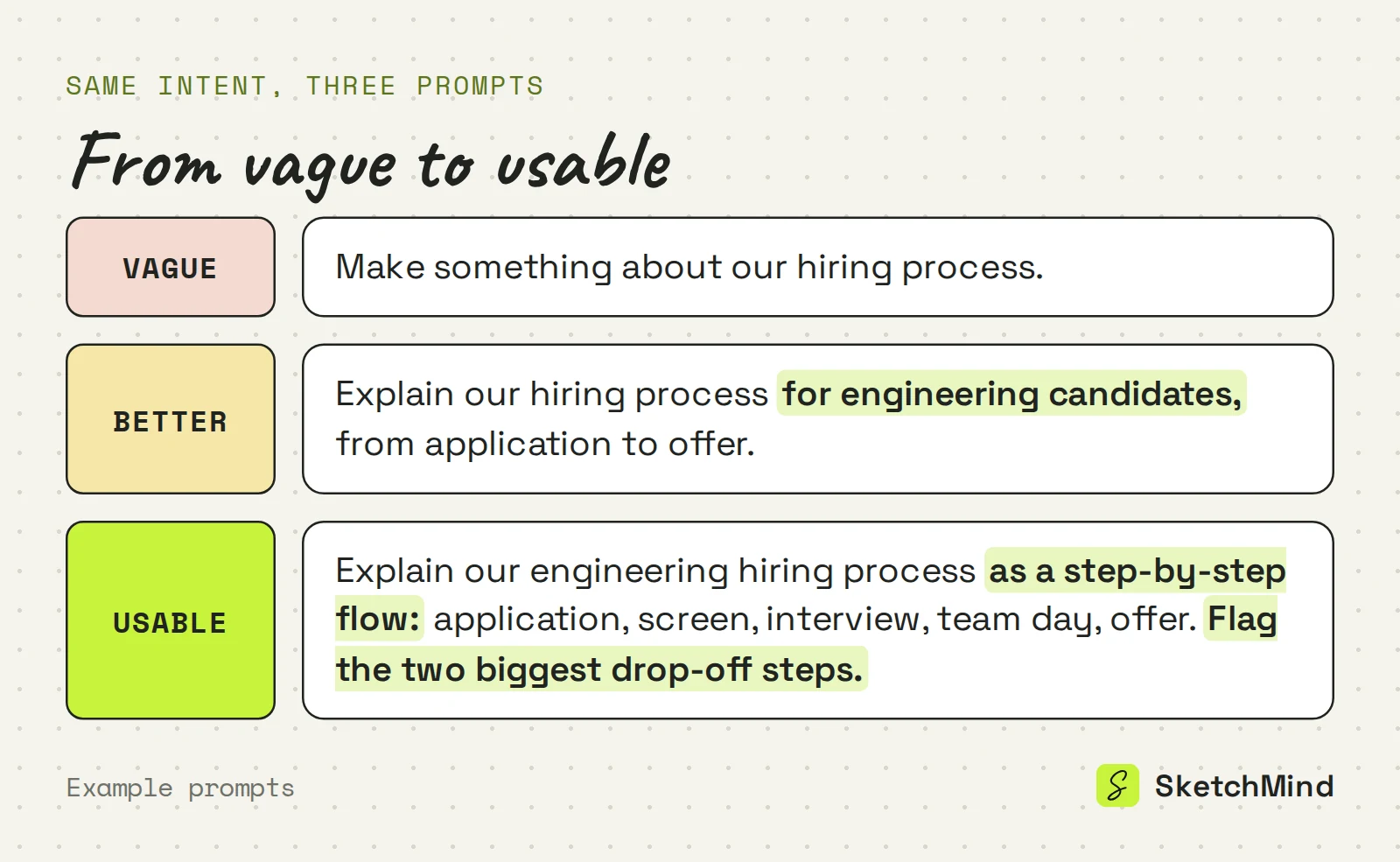
A good prompt leaves little to guess; it is not necessarily longer. The same intent at three levels:
- Vague: "Make something about our hiring process."
- Better: "Explain our hiring process for engineering candidates, from application to offer."
- Usable: "Explain our engineering hiring process as a step-by-step flow: application, screen, interview, team day, offer. Flag the two biggest drop-off steps."
The steps are named, the format is stated, and there is one specific extra ask. The test: that prompt would also work handed to a colleague.
Can a prompt produce something visual instead of text?
Yes. Most prompt advice assumes the output is text, but for plans, processes and explanations a visual result is often what you needed. That is the idea behind SketchMind, an AI whiteboard: you describe the result in Create with AI and get an editable board back.
The prompt works the same way, with one extra choice: the shape of the result. Frames gives 4–8 editable frames on your board in about 40 seconds. Presentation (Pro) gives 6–8 designed slides with speaker notes in about 40 seconds. Flow gives one flow frame in about 20 seconds, and Checklist one checklist frame in about 15 seconds. That choice does part of the specifying for you: the same sentence becomes a different board as a flow than as frames.
The description can be up to 3,000 characters. You can attach one PDF of up to 5 MB, paste a link that is read when the run starts, or inside a board use "Use this board's content", so the AI works from your material instead of its assumptions. The board comes back in the language of your prompt. To refine it, select a frame and use Rewrite ("What should change?") or edit it by hand. The Free plan includes 5 AI boards as a one-time allowance, with no credit card needed.
For more on the practice, see how to write AI prompts and our AI prompt examples.
Last updated: September 25, 2026. Checked against the current SketchMind app.
What is an AI prompt in simple terms?
It is the text you type to tell an AI what you want: a question, an instruction or a description of the result. Think of it as a brief; the more it answers, the less the AI has to guess.
Do I need to learn prompt engineering to use AI?
For everyday use, no. Knowing what you want and stating the outcome, audience and constraints gets you most of the way. Formal techniques matter more when you build automated systems on top of AI.
Why do I get generic answers from AI?
Because the prompt left too much open. An AI fills every gap with the most average assumption, so naming the audience, format and scope sharpens the output.
How long should a prompt be?
As long as it needs to be specific, and no longer. In SketchMind a single descriptive sentence is enough to create a board, and the description can be up to 3,000 characters when you want to add context.
Can an AI prompt create a diagram or a presentation?
Yes, in a visual tool. In SketchMind's Create with AI, the same prompt can become editable frames, a designed slide deck (Pro), a flow or a checklist.