
Copy-paste AI prompt examples for presentations, flowcharts and checklists, and the audience-outcome-specifics pattern that makes them work.
Most lists of AI prompt examples are written for chatbots, so they produce paragraphs. The examples below are written to produce something you can look at: a set of frames, a slide deck, a flowchart or a checklist. Use them as they are, or keep the pattern and swap in your own details.
Short answer: A good AI prompt example names the audience, the outcome and the specifics the AI cannot guess, such as the steps, options or rules only you know. For visual output, write the structure into the prompt: the order of the story, the "if yes, if no" branches of a process, or the items of a checklist. The examples below follow that pattern for presentations, flowcharts and checklists.
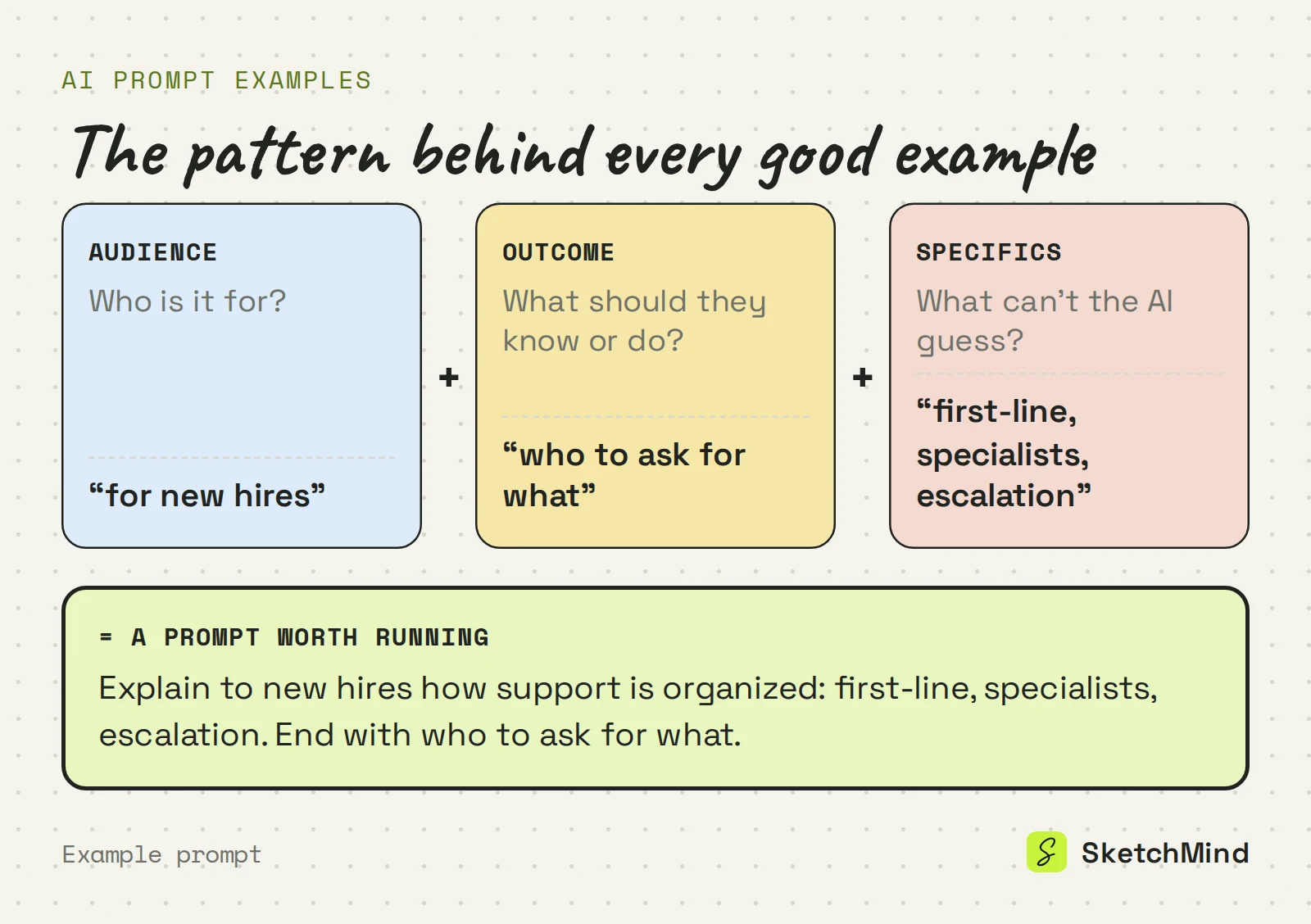
A prompt works when it leaves the AI less to guess. Every example in this article does three things. It names the audience, because a board that briefs your team looks different from one that pitches a client. It states the outcome: a decision, an explanation or a list people can act on. And it lists the specifics only you know.
Compare "make a presentation about our Q3 results" with "make a presentation for the board showing that Q3 revenue grew while support costs stayed flat, and end with the two investments we propose for Q4." Same topic. Only the second one can produce something you would present, because the AI organizes what you gave it instead of filling gaps with plausible filler.
Presentation prompts work when they hand over the full argument, not just the topic. Name the parts in the order you want to present them:
"Make a presentation about onboarding" would force the AI to invent your reasoning. These examples hand it over.
Flowchart prompts work when you narrate the process in order and write every fork as an "if yes, if no" sentence. That is exactly the structure a flowchart needs, and it stops the AI from guessing your rules.

Checklist prompts work when you list the items in the order they get done and say what "done" means for the tricky ones.
In SketchMind, an AI whiteboard, paste an example into Create with AI and pick the output that matches its shape. The description can be up to 3,000 characters.
Which output to pick for which example
|Example type|Output in Create with AI|What you get|
|Presentation, board view|Frames|4–8 editable frames on your board, about 40 seconds|
|Presentation, designed deck|Presentation (Pro)|6–8 designed slides with speaker notes, about 40 seconds|
|Flowchart or process|Flow|One editable flow frame, about 20 seconds|
|Checklist|Checklist|One editable checklist frame, about 15 seconds|
There is no separate plan output. For the launch example, pick Frames; if you then want dated steps with owners, Plans starts from a board and drafts the steps for you.
Three things make any example better. Attach the source as a PDF (up to 5 MB) or paste a link, which is read when the run starts, instead of retyping findings. Write in the language you want the board in, because the output follows it. And when one frame misses, select it and use Rewrite with an instruction like "make this frame about cost, not timeline" instead of running the whole prompt again. If none of these fit your work, the Examples link in Create with AI has starting points for 20 roles.
The Free plan includes 5 AI boards as a one-time allowance, so spend them on prompts shaped like the ones above. For the reasoning behind the pattern, read how to prompt an AI whiteboard, and for flowcharts specifically, how to create a flowchart by describing it.
Last updated: September 25, 2026. Checked against the current SketchMind app.
A ready-made prompt you can copy, adapt and reuse. A good one shows the structure that makes prompts work (audience, outcome and specifics) so you can swap in your own details.
The output is a board, not a paragraph, so the structure has to be in the prompt: the order of a story, the branches of a process or the items of a list. Prompts that spell this out translate directly into frames and diagrams.
Yes. The pattern works in any AI tool. In a chatbot you get text back; in an AI whiteboard like SketchMind you get editable frames, a flow or a checklist.
Frames for an explanation on your board, Presentation (Pro) for designed slides with speaker notes, Flow for a process with decisions, and Checklist for items to tick off.
Yes. The Examples link in Create with AI shows starting points for 20 roles, and the Templates page has ready-made boards where "Use template" runs the AI for you.