
How to write AI prompts that give you a presentation worth presenting: name the audience, one takeaway, the order and your constraints.
Most people type a topic into an AI tool and hope. For a presentation, that usually gets you slides that are correct and forgettable. Slightly more effort in the prompt is usually all it takes to get a first draft you would actually present.
Short answer: To write a good AI prompt, describe the outcome instead of the topic. Name who the audience is, the one thing they should take away, the order the story should follow and any constraints such as length or tone. Attach existing material instead of retyping it, and fix weak parts of the result one at a time instead of regenerating everything.
The AI fills every gap in your prompt with the most average assumption. Leave out the audience and you get a generic audience. Leave out the order and you get the most common structure for that topic. For a presentation this matters more than for a chat answer, because the AI has to decide how many parts the story has and what goes where. You are not describing slides. You are briefing a structure, and everything downstream inherits from that brief.
Because a topic leaves the AI to guess everything that matters. "Onboarding", "Q3 roadmap" or "our pricing model" can each become a hundred different presentations. An outcome describes what the audience should remember when the last slide closes: "A presentation for new support hires explaining how we handle refunds, ending with the three cases they must always escalate." Same topic, but now the story has a destination.
A strong prompt names the audience, one takeaway, the order and your constraints. You do not need prompt-engineering tricks for any of them.
Weak vs. sharper prompt ingredients
|Ingredient|Weak|Sharper|
|Audience|"a presentation about our API"|"for non-technical customers evaluating us"|
|One takeaway|"explain the migration"|"they should leave knowing the switch takes one afternoon"|
|Order|"cover the features"|"start with the problem, then before and after, then pricing"|
|Constraints|"keep it short"|"no jargon, one example per concept, six slides"|
If your prompt names all four, it is ahead of most prompts, and it is still only two or three sentences long.
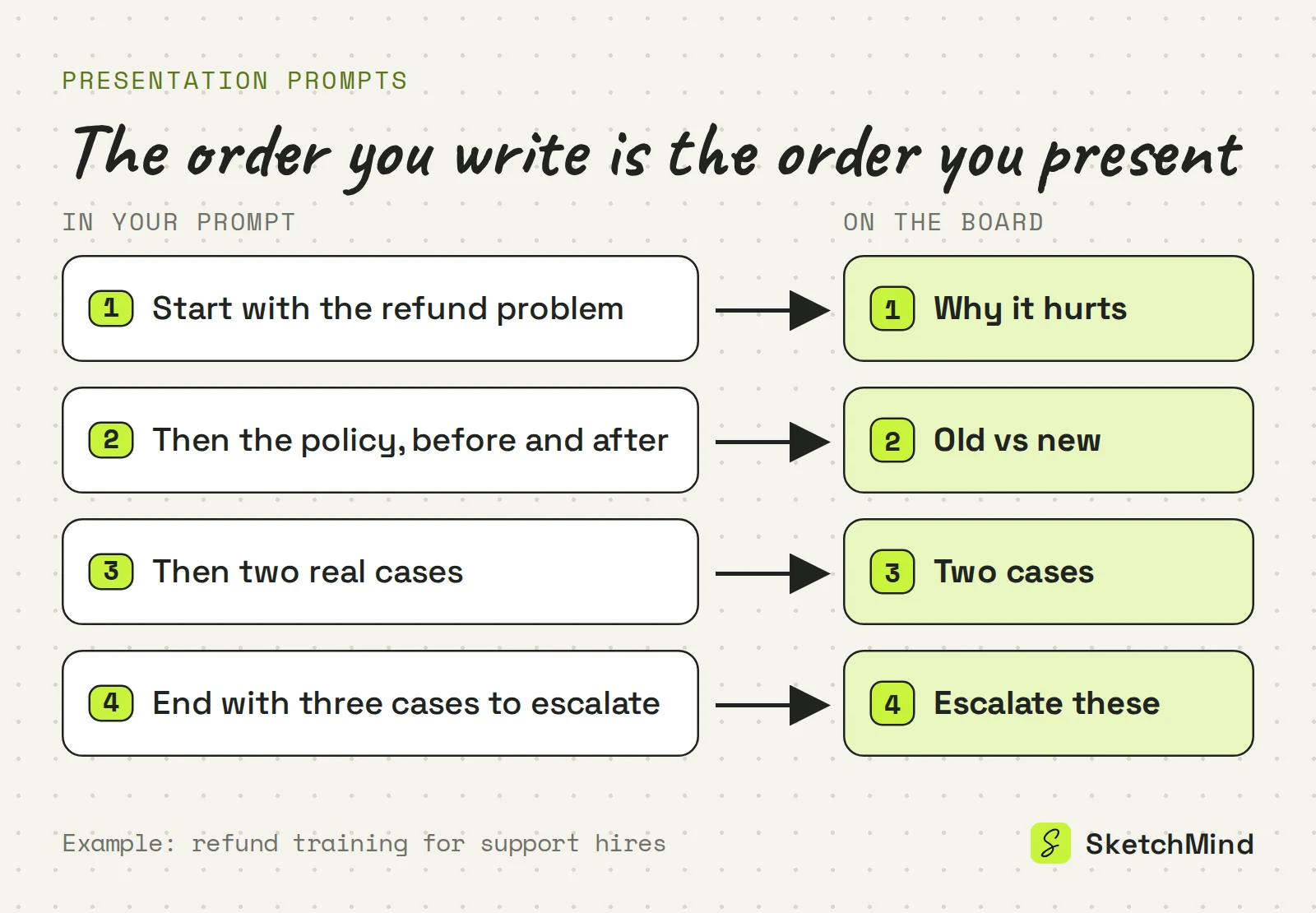
Write the points in the order you want to present them. AI models follow an explicit sequence far more reliably than they invent one. A prompt that says "start with the problem, then the policy before and after, then two real cases, end with the cases to escalate" is effectively your outline. You get to decide the arc of the talk before any slide exists, which is the part that is hardest to fix afterwards.
No. When the material already exists, attach it and keep the prompt short and directive: what to build, for whom and in what order. A spec, a report or meeting notes give the AI the facts, and your prompt gives it the angle. Retyping a document into a prompt mixes the two and usually makes the result less focused.
In SketchMind, an AI whiteboard, you write the prompt in Create with AI, with up to 3,000 characters. For a presentation there are two outputs. Frames gives 4–8 editable frames on your board in about 40 seconds, which you can present straight from the board with reveal steps. Presentation (Pro) gives 6–8 designed slides with speaker notes, also in about 40 seconds. You can also start with Frames and later use "Turn into a presentation" on that section.
For context, attach one PDF of up to 5 MB, paste a link (it is read when the run starts), or inside a board switch on "Use this board's content". Write the prompt in the language you will present in; the output follows it. If you want a starting point, "Examples" shows prompts for 20 roles.
When one frame misses, select it and choose Rewrite. Type what should change, or pick "Make it simpler", "Add a concrete example" or "More visual, fewer words". The rest of the board stays put. Rewriting one frame costs one rewrite; regenerating the whole board to fix a sentence costs an AI board. The Free plan includes 5 of each, one time; Pro ($19/month) includes 20 AI boards, 100 rewrites and 3 designed decks per month.
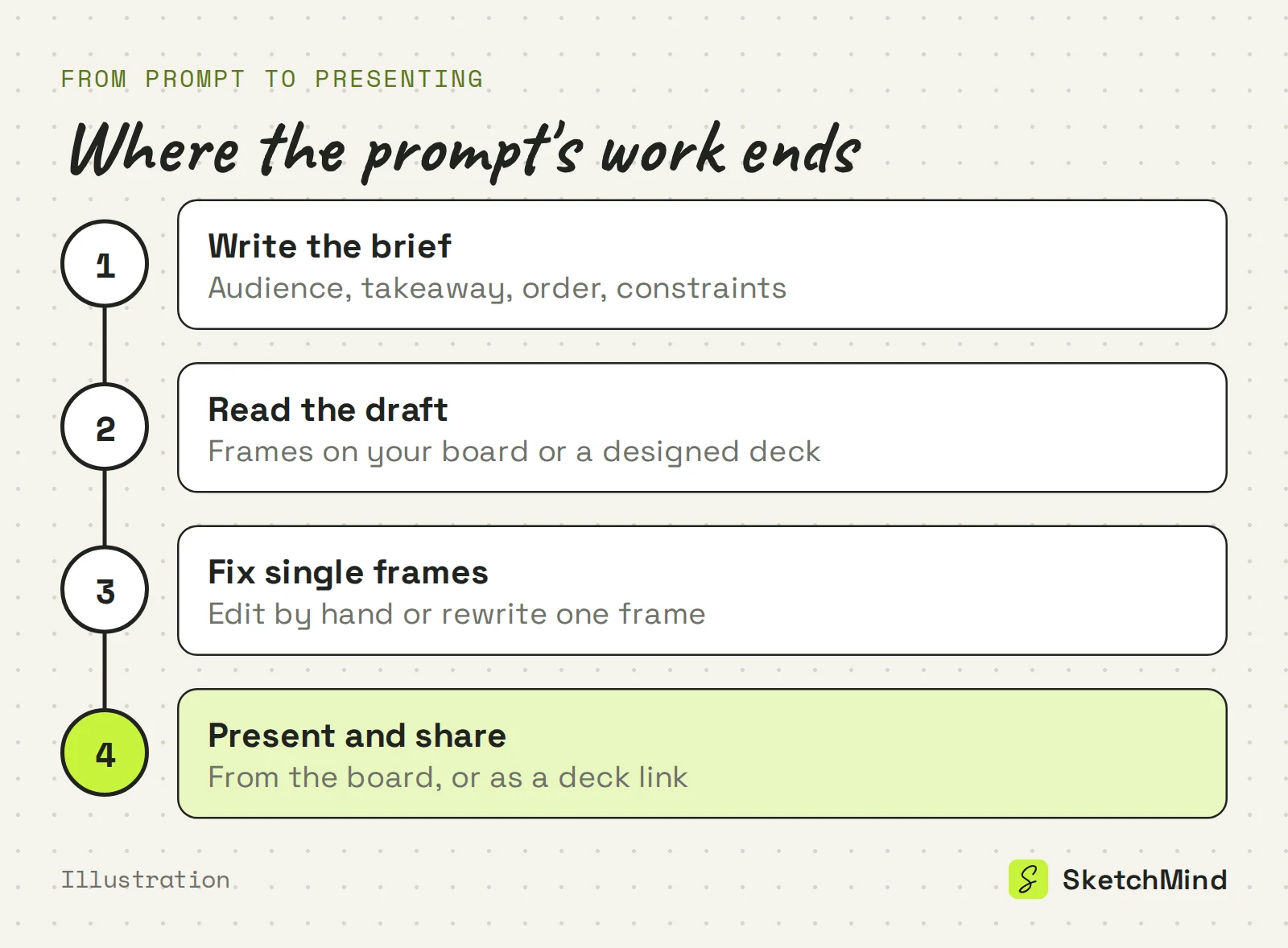
Read it as a draft, not a verdict. Check the order first, then the takeaway, then individual wording. If the order is wrong, change the prompt and run it again. If one part is weak, fix only that part. Then present it: from the board, or as a deck you share by link. For a deeper look at structure before you prompt, see how to outline a presentation, and for the notes that go with it, what speaker notes are.
Last updated: September 25, 2026. Checked against the current SketchMind app.
Long enough to name the audience, the takeaway, the order and your constraints, which is usually two to four sentences. In SketchMind's Create with AI the description can be up to 3,000 characters.
Because the prompt left the important choices open, and the AI filled them with the most average assumption. Naming the audience and one takeaway changes the result more than adding length.
Yes, on Pro and higher. The Presentation output gives 6–8 designed slides with speaker notes in about 40 seconds; the Frames output, available on every plan, gives 4–8 editable frames on your board.
Yes. In SketchMind you can attach one PDF of up to 5 MB or paste a link in the description, and the result is written from it.
No. SketchMind has no PPTX export. You present from the board or share a designed deck by link.