How to turn a whiteboard into a document you can send: present the board, or click Make a document, pick sections and download A4 pages as PDF.
Most whiteboard sessions end the same way: someone takes a screenshot, pastes it into a chat, and everyone who wasn't there squints at a jumble of boxes. The thinking was good; the artifact is unreadable. This guide covers the two ways out of that in SketchMind: presenting the board itself, and writing a document from it.
Short answer: To turn a whiteboard into a document in SketchMind, open the board, click Make a document, pick the sections you want as chapters and click Write document. You get laid-out A4 pages you can share by link or save as a PDF with Download PDF. Documents are included in Pro (3 per month) and unlimited on Pro Creator and Team.
A screenshot removes the order in which a board should be read. The people who built the board saw it grow, so it makes sense to them. Everyone else gets all of it at once, with no path through it. A document has a sequence, and so does a presentation. Both routes below work by putting that sequence back.
Click Present on the board and SketchMind walks through your frames one at a time. Reveal steps let parts of a frame appear as you talk. There is no export and no second version to maintain: the presentation runs on the board, so a last-minute edit on the canvas is already in the talk.
If you want designed slides instead, Turn into a presentation makes 6–8 slides with speaker notes from a frames section (Pro). More on that in presenting without slides.
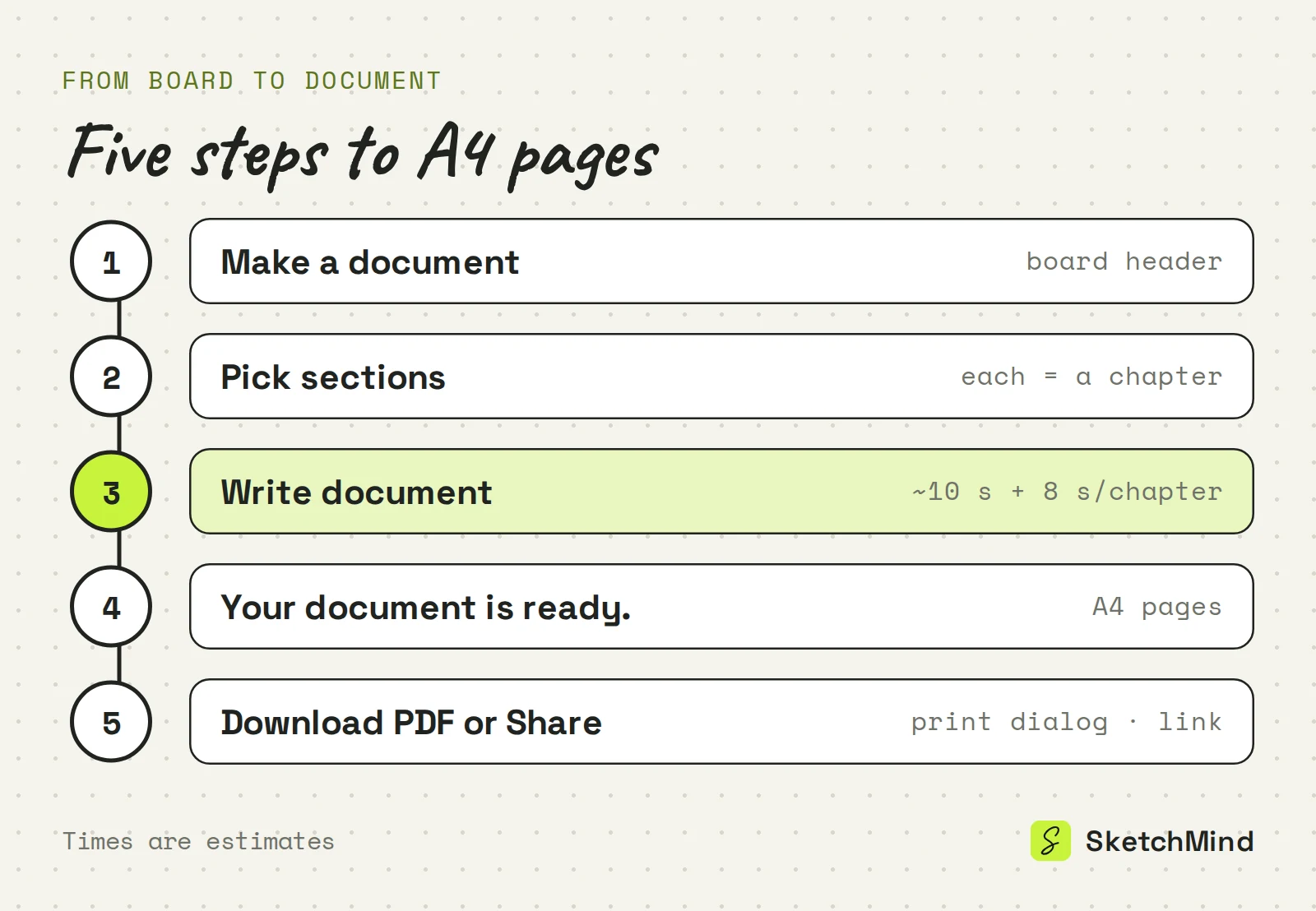
Use Make a document in the board header. It appears once the board has a section with at least one frame.
Sharing gives you a link where anyone with it can view the document. You can copy the link, reset it or stop sharing, and there is also an Image tab.
Present the board when you are in the room; write a document for people who weren't.
Three ways to share a board
|Route|What you get|When the board changes|Plans|
|Present the board|Your frames as drawn, with reveal steps|Always current, it is the board|Every plan|
|Designed deck|6–8 slides with speaker notes|Update deck rewrites the changed slides|Pro (3 per month) and up|
|Document|A4 pages, PDF via print dialog, view link|Shows "Board changed since this was written"; Update|Pro (3 per month) and up|
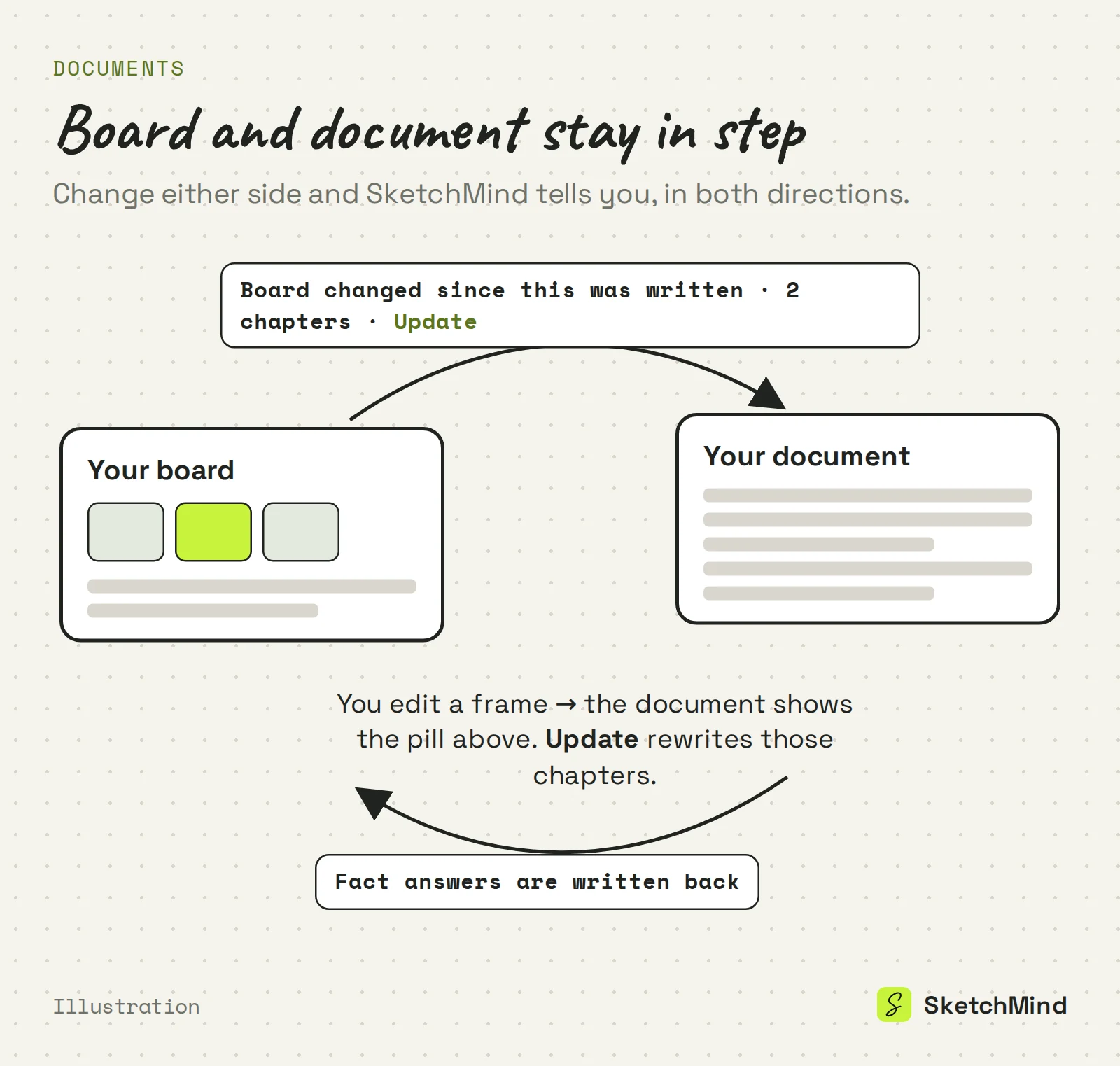
The document shows Board changed since this was written, with the number of chapters that are behind. Click Update and SketchMind rewrites those chapters from the current board. Each document shows its version number, and all your documents and presentations are listed on the Documents page.
You don't always need a full update. Two smaller tools work per chapter:
Documents are part of the paid plans of SketchMind, an AI whiteboard. Free includes no PDF documents. Pro ($19 a month) includes 3 per month, and Pro Creator ($49 a month) and Team have no limit. Presenting from the board is available on every plan.
If your board doesn't exist yet, start with Create with AI and write the document when the board says what you mean.
Last updated: September 28, 2026. Checked against the current SketchMind app.
Click Make a document in the board header, pick the sections you want as chapters and click Write document. When the pages are ready, use Download PDF or Share.
Click Download PDF. It opens your browser's print dialog, where you choose Save as PDF. The pages are laid out in A4.
Yes. You can edit a chapter's text, rewrite a single chapter from the board, or answer fact questions that update the board and that chapter. Rewriting a chapter removes your own edits to it.
The document shows "Board changed since this was written" with the number of chapters affected. Click Update to rewrite them from the current board.
No. PDF documents are part of Pro (3 per month) and unlimited on Pro Creator and Team. Presenting a board from the canvas works on every plan, including Free.