
How to present straight from a whiteboard: click Present, use reveal steps, or turn a section into a designed deck with speaker notes. No export needed.
Most presentations die twice. Once when the thinking gets flattened into slides, and again when someone asks a question the deck didn't anticipate. The usual workflow, thinking in one tool and exporting to another, is where both problems start. This guide shows how to run a talk straight from a whiteboard in SketchMind, and when a designed deck is the better choice.
Short answer: To present from a whiteboard without making slides, click Present on your SketchMind board. It walks through your frames one at a time, and reveal steps let parts of a frame appear as you talk. If you want designed slides, Turn into a presentation makes 6–8 slides with speaker notes from a section (Pro). Neither needs an export.
An exported deck is a snapshot. The moment you fix a number on the whiteboard, the deck is stale, and when someone asks to see the bigger picture behind slide 7, you're switching apps. Keeping the thinking and the telling in sync is busywork that adds nothing to either. Presenting from the board removes the second copy.
Your frames are your slides. In SketchMind, a board is built from frames grouped in sections, and presenting steps through them in order.
Because it runs on the board, the talk is always the current version. Fix a typo two minutes before you start and it's already in the presentation. If you don't have a board yet, Create with AI can build 4–8 frames from a description in about 40 seconds.
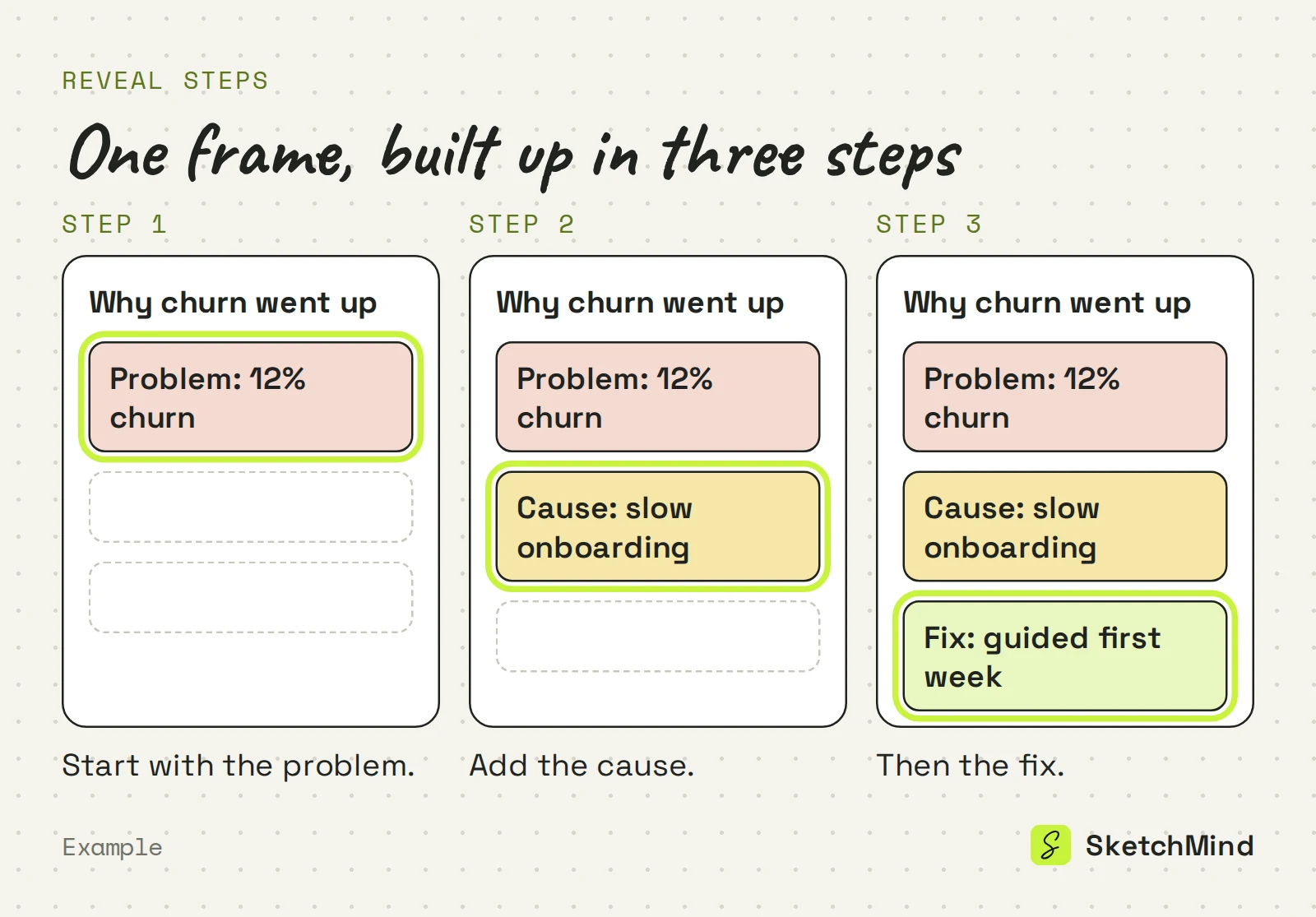
Reveal steps decide what appears when inside a frame. Select an element and set its Reveal step. Elements with a step show up one after another as you present, instead of the whole frame landing at once. A diagram builds up piece by piece while you explain it, which keeps the audience on the point you are making.
Turn a section into a deck when the audience expects slides, or when you want speaker notes and rehearsal tools. Turn into a presentation sits on the section's hover bar, right after generation and in the Present menu. It makes 6–8 designed slides with speaker notes in about 40 seconds.
The deck player has:
When the board changes, the Present menu offers Update deck, which rewrites only the changed slides. Present board instead is always one click away.
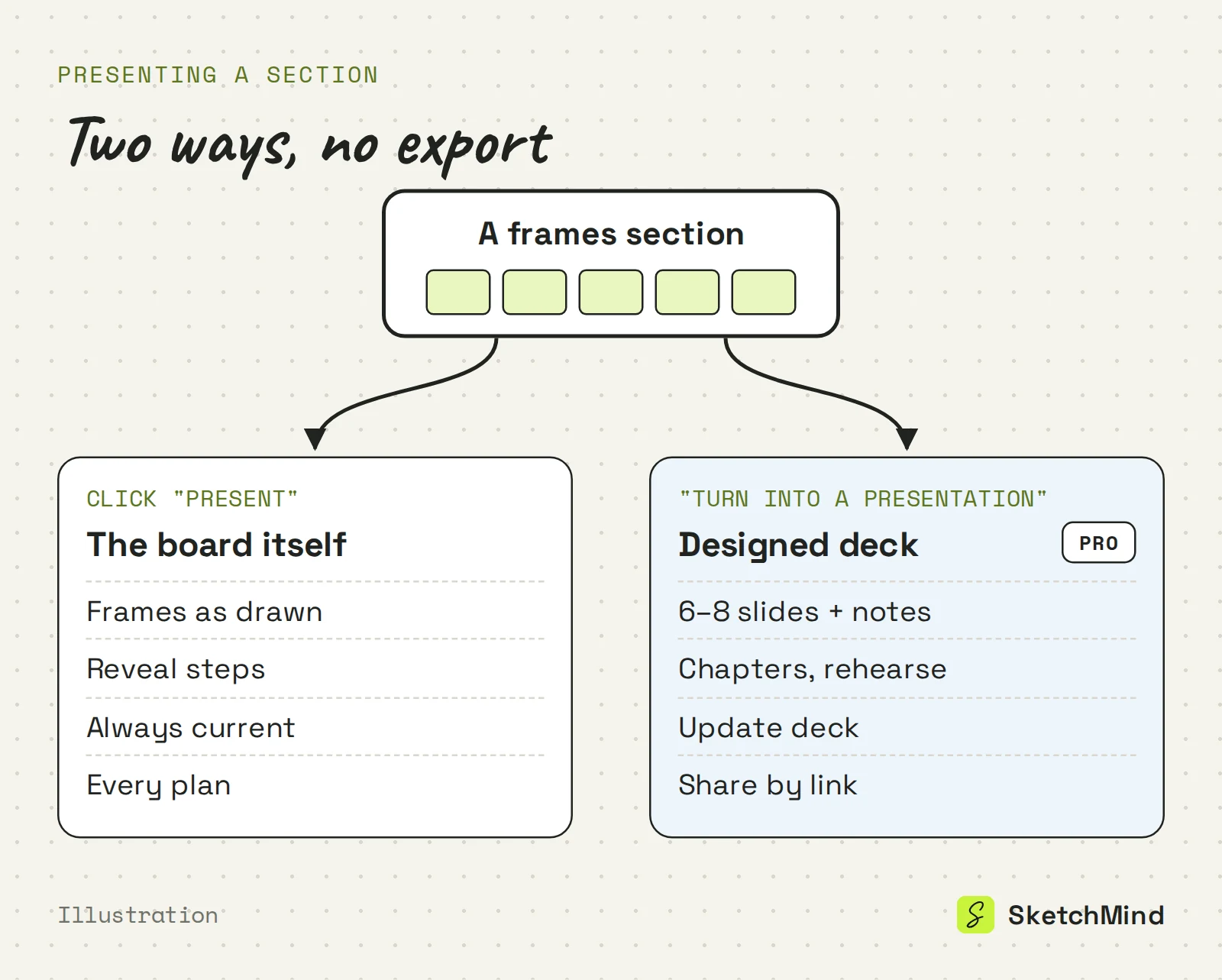
Presenting the board vs a designed deck
| |Present the board|Designed deck|
|What people see|Your frames as drawn|6–8 designed slides|
|Pacing|Reveal steps per frame|Speaker notes, rehearse, auto-play|
|After a board edit|Already current|Update deck rewrites changed slides|
|Sharing|Board link, PNG or short video|Link to the deck|
|Plans|Every plan|Pro (3 per month) and up|
No. There is no PPTX export. You share a deck by link, and a board by link or as an image: the Share menu's Image tab downloads a PNG or a short video. For a written leave-behind, use Make a document, which turns the board into A4 pages you can save as a PDF. The steps are in from board to document.
Presenting from the board works on every plan of SketchMind, an AI whiteboard, including Free. Designed decks are part of Pro ($19 a month, 3 decks per month) and unlimited on Pro Creator and Team. Documents follow the same pattern: none on Free, 3 per month on Pro. You can start free at app.sketchmind.app, no credit card needed.
Last updated: September 25, 2026. Checked against the current SketchMind app.
No. Click Present on the board and SketchMind walks through your frames in order. It always shows the current state of the board.
Yes. Give elements a reveal step and they appear one after another as you present, so a frame builds up while you talk.
Yes. Turn into a presentation makes 6–8 designed slides with speaker notes from a frames section. It is included in Pro (3 per month) and unlimited on Pro Creator and Team.
No, there is no PPTX export. Decks are shared by link, boards by link or as a PNG or short video, and documents can be saved as PDF.
Presenting from the board works on every plan, including Free. Designed decks and PDF documents need Pro or higher.