
How to make a decision tree: name the decision, the questions that decide it and the endpoints, then sketch it by hand or describe it to an AI whiteboard.
Somewhere between "should we hire a contractor or a full-timer?" and the fourth message thread about it, someone says: let's just map this out. They're right. A decision tree forces a vague argument into a shape, and the shape is usually what the discussion was missing.
Short answer: To make a decision tree, name the decision, list the questions that actually decide it, put them in order, and end every branch in a concrete outcome. Draw each question as a split with yes/no paths. You can sketch the tree by hand, or describe it in plain language and let an AI whiteboard such as SketchMind draw the branches for you in about 20 seconds.
A decision tree is a diagram that lays out one decision as a series of questions, where each answer leads to the next question or to a final outcome. It sounds almost too simple to be useful, which is why it works: the tree makes you name the questions that really decide the matter, in order, before anyone argues about the answer.
Trees earn their place wherever the same decision comes back with different inputs. When do we refund a customer? Which incoming request goes to which team? Does this candidate move to the next round? Write the logic down once, as branches, and the discussion moves from "what should we do here" to "which branch are we on". If you need to show how work moves between people rather than how one choice gets made, a process map is the better format.
Work from the decision to the outcomes, and settle the questions before you draw anything.
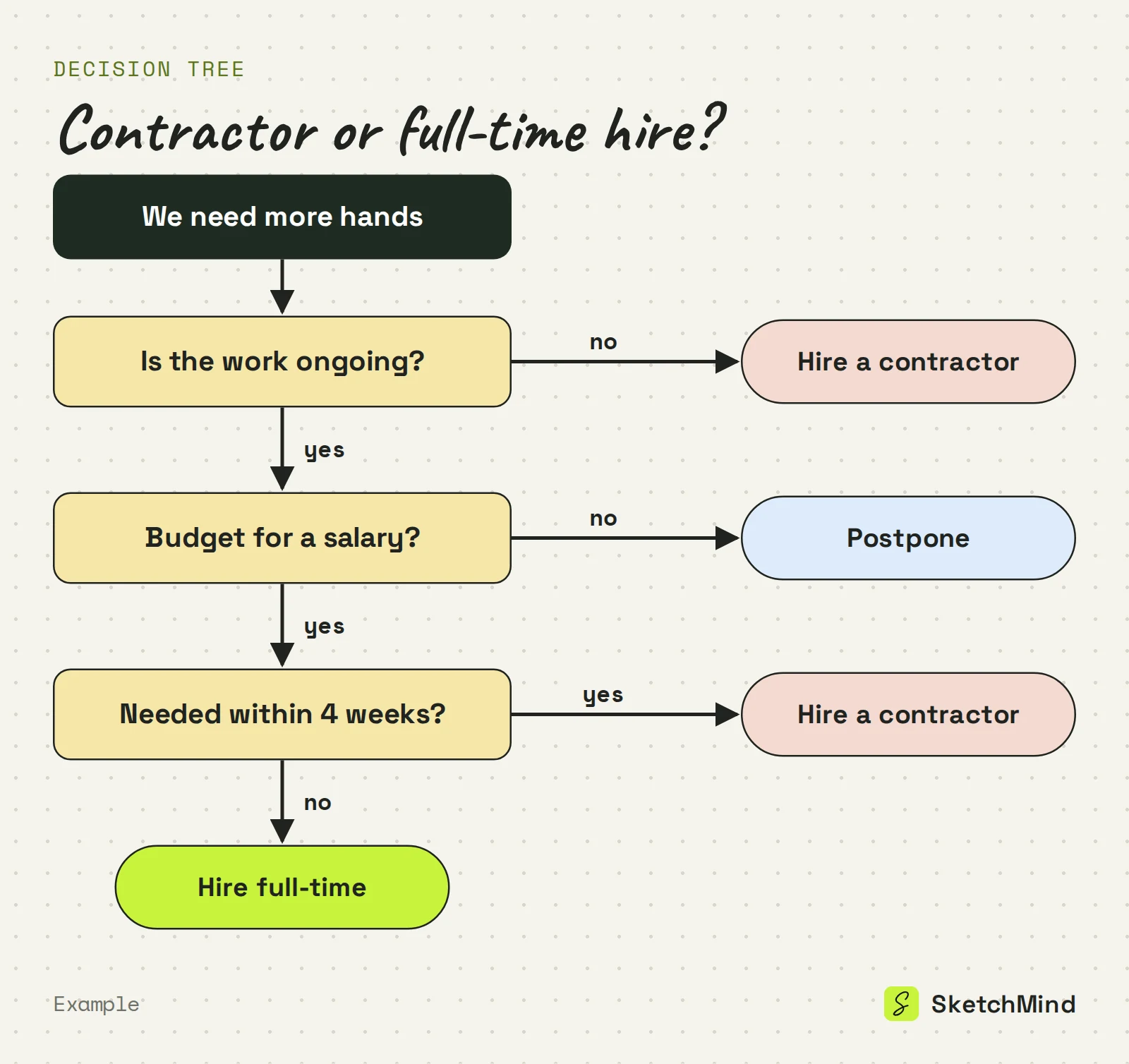
Because the drawing competes with the thinking. The problem was never the tree. It's making the tree. The traditional route: open a diagram tool, draw a rectangle, then a diamond, then arrows, realize the second question should have come first, and spend ten minutes re-routing arrows instead of thinking about the decision. Most decision trees die in that step. The logic was never the hard part.
Drawing a decision tree vs describing it
|Step|Drawing it by hand|Describing it to an AI whiteboard|
|Starting point|A blank canvas|The decision you need to make|
|Boxes and arrows|You place and align each one|Drawn for you|
|Your attention|Split between layout and logic|Only on the logic|
|When the logic changes|Re-route the layout|Edit the frame, or rewrite it|
In SketchMind, an AI whiteboard, a decision tree is a Flow: one editable frame with decisions and branches.
For more on writing flow descriptions in general, see how to create a flowchart by describing it.
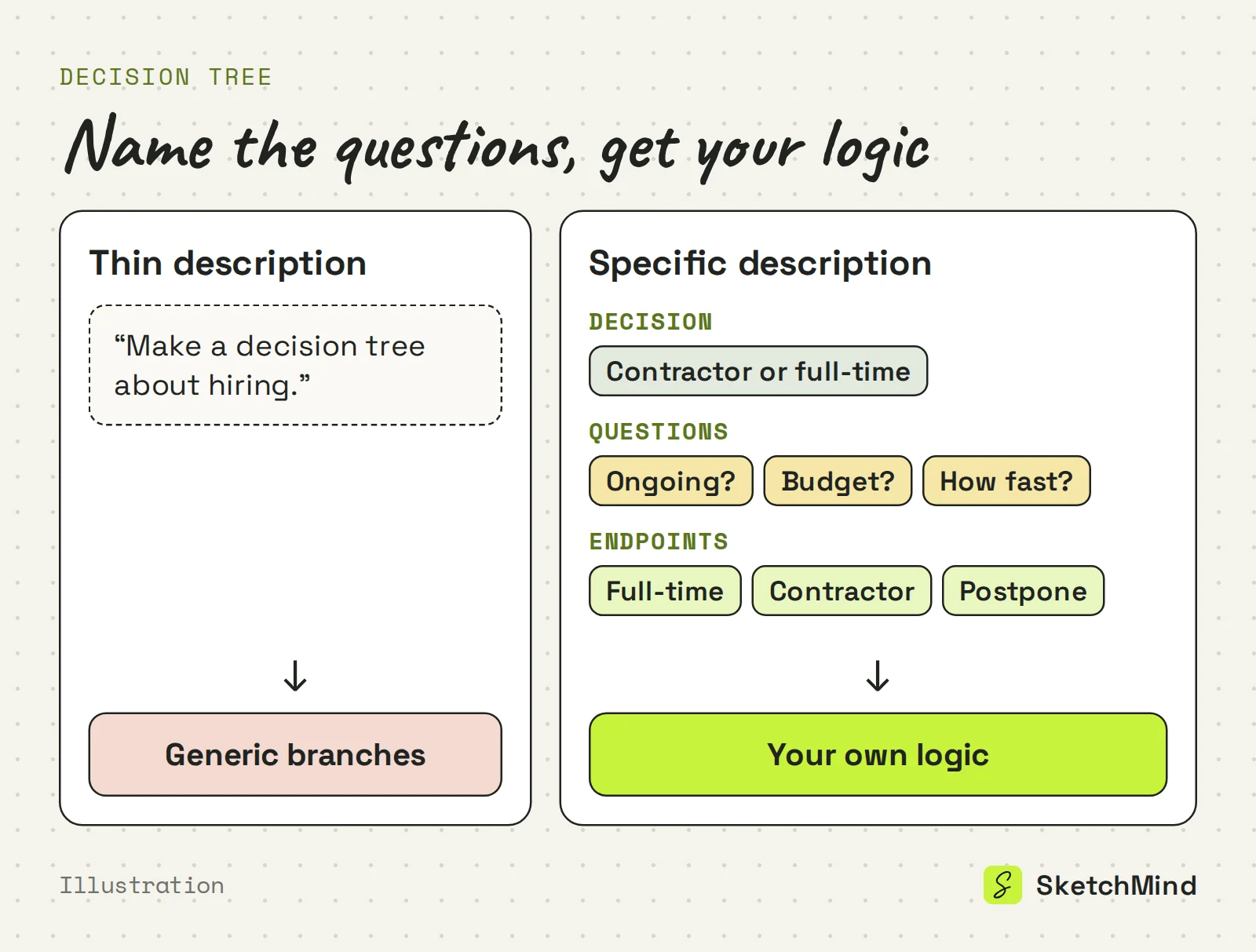
The AI can only branch on what you give it, so name three things: the decision, the questions that decide it, and the endpoints.
"Make a decision tree about hiring" is too thin, so the questions come out generic. Compare: "Decision tree for choosing between a contractor and a full-time hire: branch on whether the work is ongoing or a one-off project, whether we have budget for a permanent salary, and how fast the person needs to start. Endpoints: hire full-time, hire contractor, or postpone." Now the branches are your logic, not boilerplate.
If the first version misses, you don't have to start over. Every box and arrow is editable, and for bigger changes you select the frame, tap Rewrite and say what should change. The rewrite replaces that frame's generated content; your own additions stay.
Present it from the board, or share a link. Press P to present and use reveal steps to show one branch at a time, so nobody jumps to the last outcome. If a colleague is sure there's a fourth endpoint, they can add it on the board or leave a comment with an @mention. A share link can be set to View or Edit, and viewers are unlimited on every plan.
Generating a tree uses one AI board. The Free plan includes 5 AI boards as a one-time allowance, with no credit card to start. Pro ($19/month) includes 20 AI boards per month. Details are on the pricing page.
Last updated: September 25, 2026. Checked against the current SketchMind app.
A decision tree is a diagram that lays out one decision as a series of questions. Each answer leads to the next question or to a final outcome.
For most everyday decisions, two to four. Put the question that rules out the most options first, and end every branch in an action someone can take.
No. Describe the decision, the questions and the endpoints in plain language. In SketchMind the AI draws the shapes; you judge the logic.
Pick Flow in Create with AI and the tree appears as one editable frame in about 20 seconds.
Yes. Every element is editable by hand, and Rewrite on the frame changes the generated content based on your instruction while keeping your own additions.