
A presentation outline is a decision document, not a shorter talk. The five parts that carry most talks, the mistakes that flatten them, and where AI helps.
Nobody's talk fails because the slides were ugly. Talks fail because the structure was never decided: three points that are really the same point, a conclusion that appears out of nowhere, ten minutes of background before anything happens. A presentation outline is where you fix that, before you've invested in any slides at all.
Short answer: A presentation outline is a short, ordered list of the sentences your talk has to land, written before any slides. Most talks work with five parts: a hook, the situation, two to four core points, the proof, and a clear ask. Write each part as a full sentence and read them aloud; if they make a coherent 60-second version of the talk, the structure holds.
A presentation outline is a decision document, not a shorter version of your talk. It settles what the audience should walk away with, what has to be established for that to land, and in what order. Once those decisions are made, building the actual presentation is mostly execution.
Skipping the outline doesn't skip the decisions. It just moves them into slide-editing, where they're expensive. Reordering an outline takes seconds; reordering thirty finished slides takes an evening.
Five parts carry most talks: hook, situation, core, proof and ask.
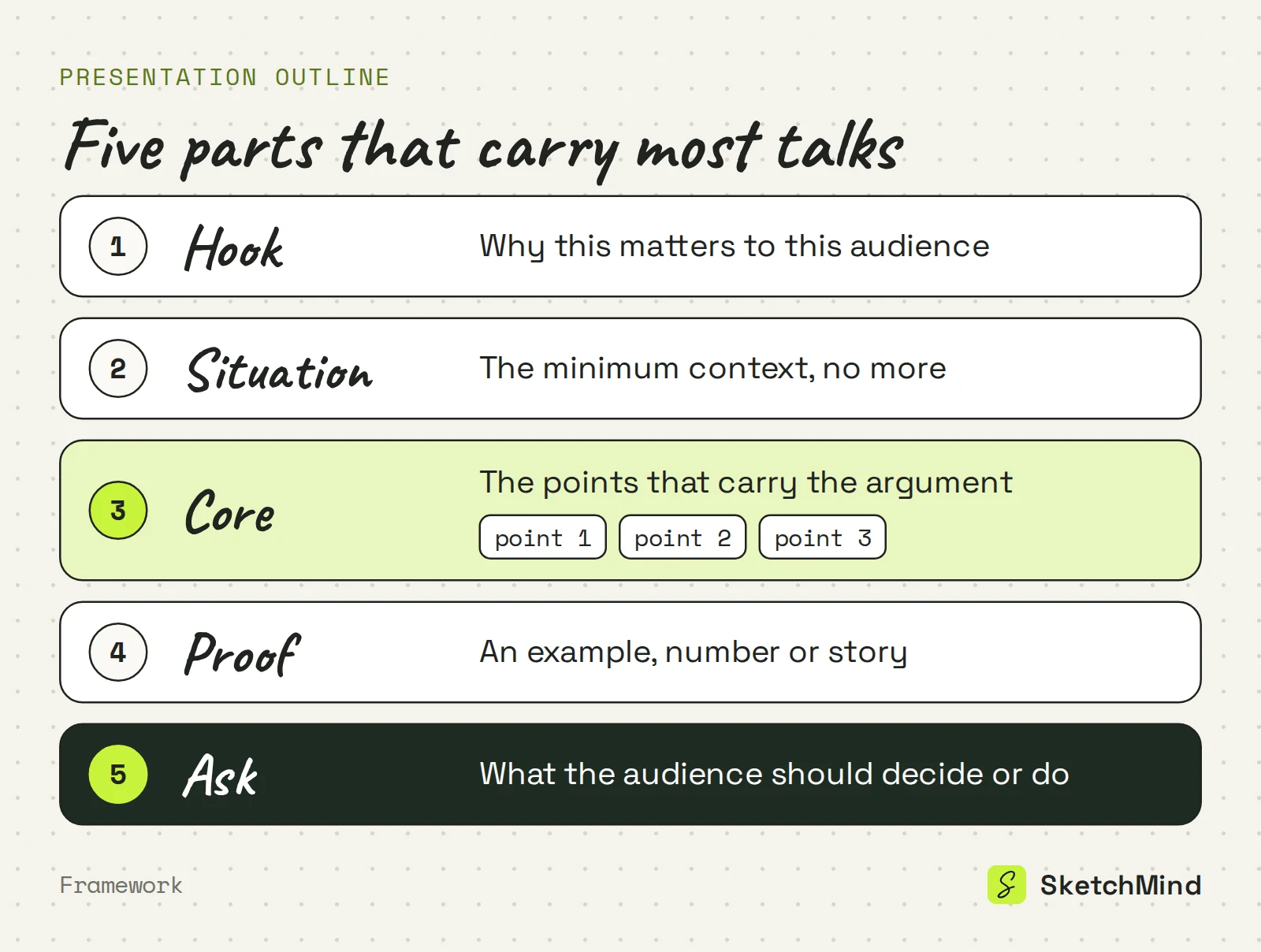
Write each part as a full sentence, not a topic word. "Costs" is not an outline entry; "Support costs doubled because tickets aren't triaged" is. You can tell whether it's true, and whether it belongs.
Outlining by category instead of by argument, front-loading context, and ending without an ask.
The first is the most common: intro, background, data, conclusion. Those are containers, and they say nothing about what goes in them. The second is front-loading context. Audiences don't need the full history before your point; they need the point, then exactly as much history as makes it credible. The third is having no ask, which turns the last slide into "so yeah, that's it."
Category outline vs argument outline (example)
|Part|Category outline|Argument outline|
|Hook|Intro|Every support ticket now waits three days for a first reply|
|Situation|Background|Ticket volume grew this year; the team did not|
|Core|Data|Untriaged tickets bounce between teams before anyone owns them|
|Ask|Conclusion|Approve a six-week triage pilot starting next month|
A quick test for all three mistakes: read only your outline's sentences out loud. If they form a coherent 60-second version of the talk, the structure works. If not, no amount of slide polish will save it. It is also the fastest way to use a colleague: nobody wants to review thirty slides, but anyone will listen to a 60-second outline and tell you which part they didn't follow.
Yes, and the first draft is a good step to hand off, as long as you give it the argument. In SketchMind, an AI whiteboard, you open Create with AI, pick Frames and describe the talk: audience, argument, and what you want to happen at the end, in up to 3,000 characters. You can attach one PDF (up to 5 MB) as context, so a report or proposal feeds the outline directly.
In about 40 seconds you get 4–8 editable frames on your board. Their titles are your outline, laid out where you can see the whole shape at once. Treat it like any first draft: drag frames into a better order, delete the ones that don't earn their place, or select one frame, tap Rewrite and say what should change ("make this about the risk, not the cost"). The rest of the board stays as it is.
Present the frames directly, or turn them into designed slides or a document when the audience needs one.
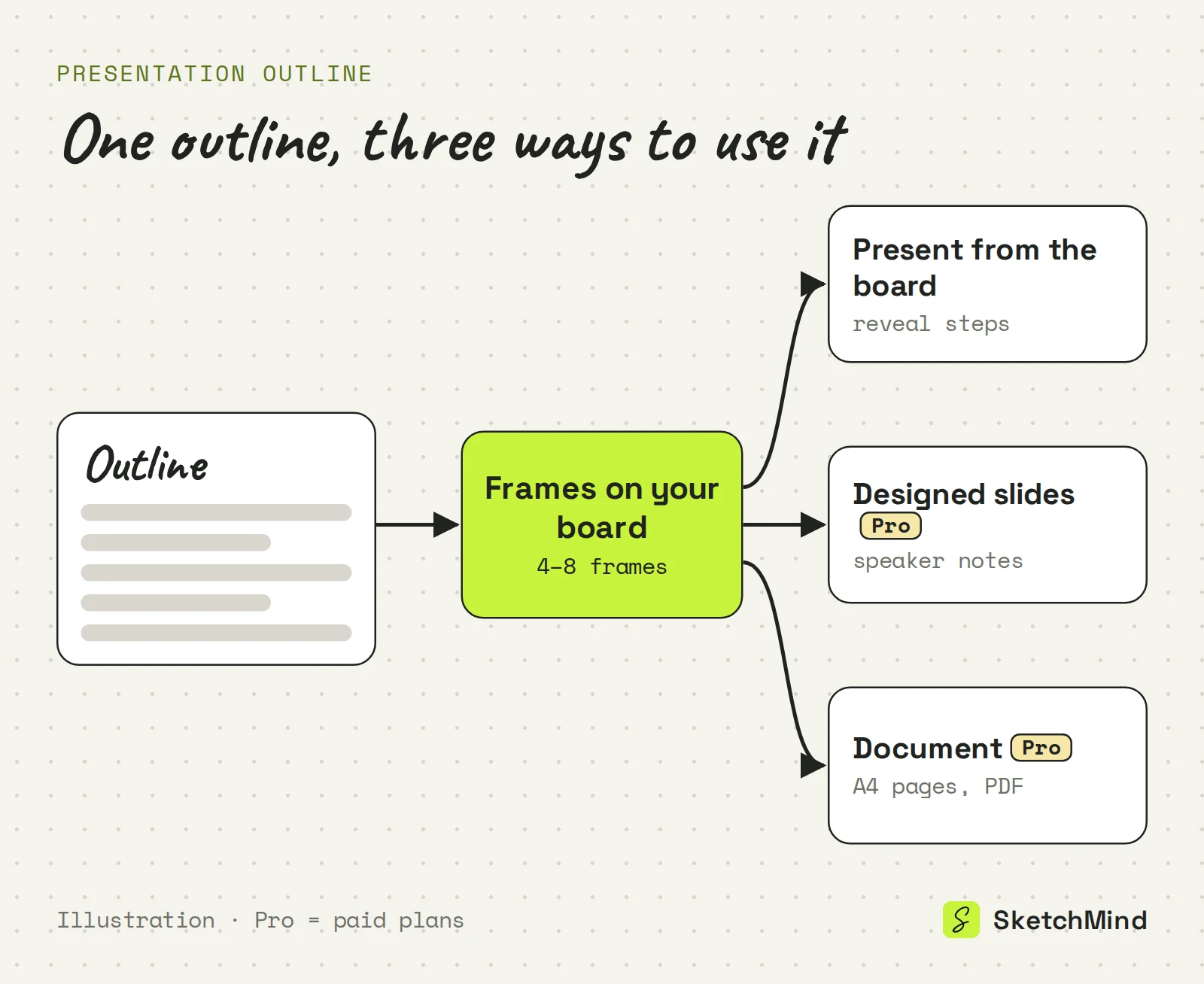
If the talk is informal, you may not need slides at all: see presenting from a whiteboard without slides. On the Free plan you get 5 AI boards as a one-time allowance, with no credit card to start; designed decks and PDF documents need Pro ($19/month, 3 of each per month) or higher. Details are on the pricing page.
Last updated: September 25, 2026. Checked against the current SketchMind app.
A hook, the minimum context, two to four core points, the proof that makes them concrete, and a clear ask. Write each part as a full sentence.
Detailed enough that reading it out loud gives a coherent 60-second version of the talk. If a part only works as a topic word, the decision behind it hasn't been made yet.
Yes. In SketchMind you describe the talk in Create with AI and pick Frames; about 40 seconds later you have 4–8 editable frames whose titles form the outline.
Yes, on Pro and higher. "Turn into a presentation" makes 6–8 designed slides with speaker notes from a frames section. SketchMind does not export to PowerPoint; decks are shared by link.
The Free plan includes 5 AI boards as a one-time allowance and needs no credit card. Designed decks and PDF documents are not included on Free.