
What visual thinking at work is, why words alone keep ideas fuzzy, the four shapes most ideas fit, and how AI helps with the first draft.
Most ideas at work die in the gap between the person who has them and everyone else. The idea is clear in your head, you describe it in a meeting or a message, and what arrives on the other side is a blurrier copy. Then the follow-up questions start, and you realize they didn't dislike the idea. They never actually saw it.
Short answer: Visual thinking at work means laying an idea out as boxes, arrows, frames or a sequence, so other people can see its structure instead of rebuilding it from your words. It works because a drawn idea has to commit to what comes first and what depends on what. Most work ideas fit one of four shapes: a story, a flow, a plan or a checklist.
Visual thinking is working an idea out in a form you can inspect, instead of holding it as sentences. It isn't about design or drawing skill. The point is that a diagram can't stay vague the way a sentence can. A sentence can skip over what comes first, what depends on what and what is actually in scope. A diagram has to show it.
That's why sketching something usually improves it before anyone else looks: laying it out exposes the gaps you were talking around.
Spoken and written explanations are linear, one word after another, while most ideas are not. A process has branches. A plan has parallel tracks. A proposal has structure that only shows when you can see all of it at once. When a structured idea goes through a linear channel, every listener rebuilds the structure in their head, and each one rebuilds a slightly different version.
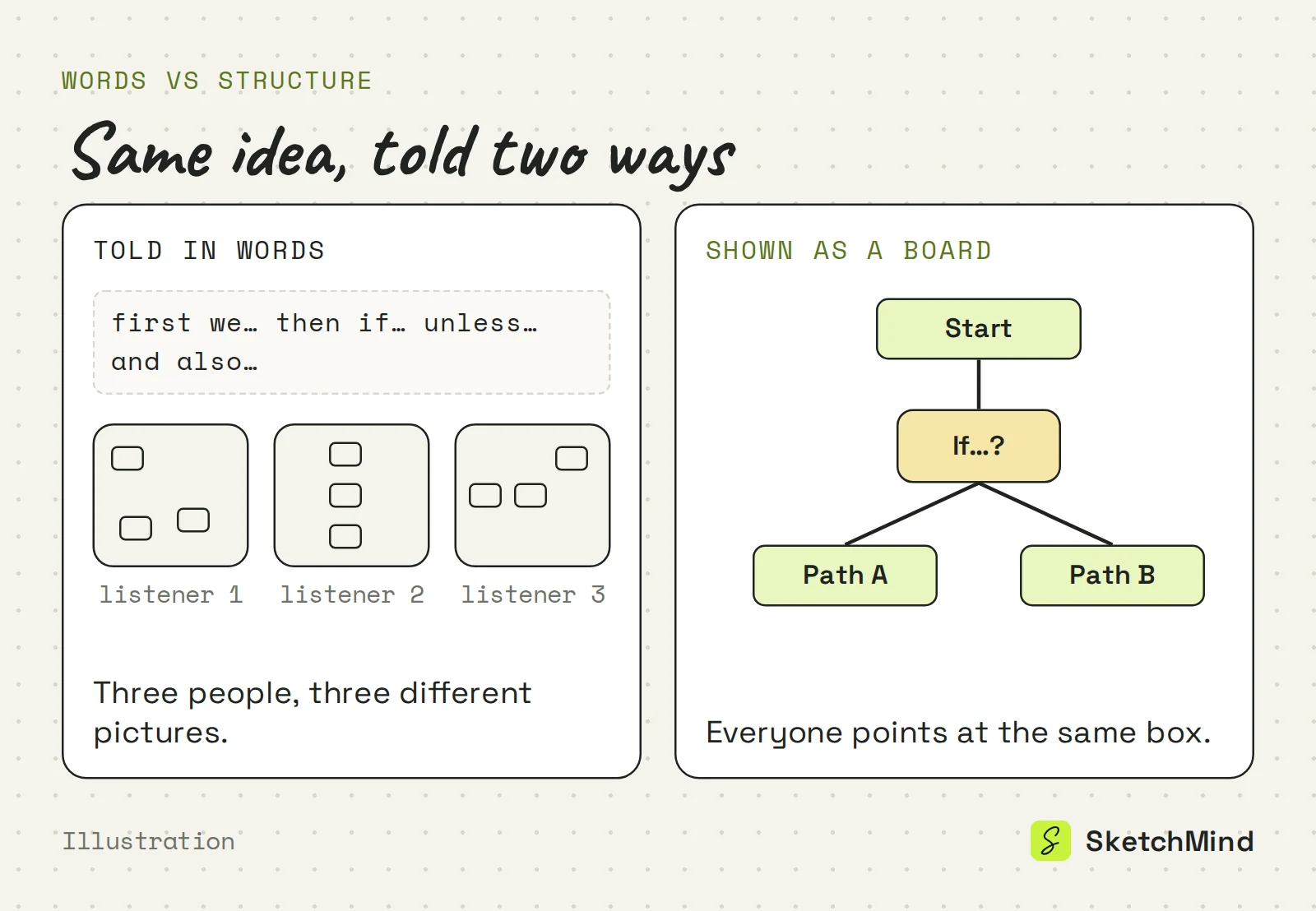
A board in front of the room ends that. Everyone looks at the same thing, and disagreement attaches to something concrete: that arrow, that step, that box. Meetings get shorter when the argument has an address.
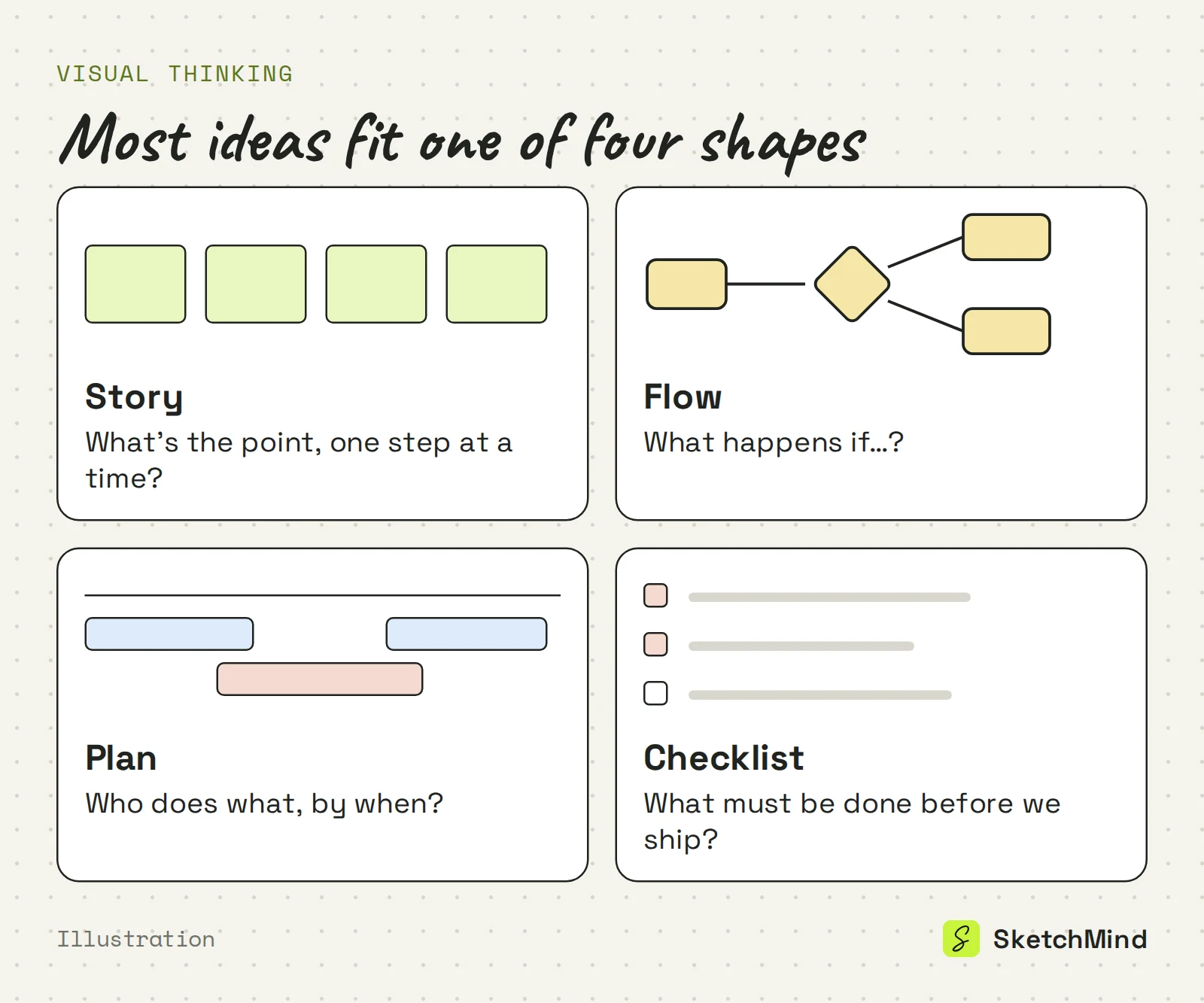
Almost everything you explain at work fits one of four shapes, and naming the shape is half the work. The blank page was never the hard part of visual thinking. Inventing a format for it was.
Four shapes for work ideas
|Shape|What it shows|Use it when|
|Story|A sequence of points, one at a time|You pitch, teach or explain|
|Flow|How something moves and branches|There is an if-then in it|
|Plan|What happens when, and who owns it|There are dates and owners|
|Checklist|What must be done or true|The work is ready to execute|
"It's a flow" already tells you what the drawing needs to show: a start, the decisions, and where each branch ends. For a deeper look at one shape, see what a process map is.
AI is useful for the step where most people quit: drawing the first version. A first draft is mostly repetitive structure, and the judgment comes after it.
In SketchMind, an AI whiteboard, you describe the idea in Create with AI and pick an output. Three of them match the shapes above: Frames for a story (4–8 editable frames, about 40 seconds), Flow (one frame, about 20 seconds) and Checklist (one frame, about 15 seconds). Plans with dates and owners live in the separate Plans tool, which drafts the steps from a board. Everything the AI makes is ordinary board content: you rearrange, rename, delete and redraw, because you're the one who knows what the idea is. More in how Create with AI works.
The board that helped you think is the one you show. Click Present and it walks through your frames one at a time, with reveal steps inside a frame. Nothing is exported, so a last-minute fix is already in the talk.
When someone asks "can you send that over?", Make a document turns the sections of your board into chapters on A4 pages, which you can share by link or save as a PDF. Your section titles become the document's structure, which is a good reason to name them properly.
The Free plan needs no credit card and includes 5 AI boards (one-time); presenting from the board isn't metered on any plan. Documents start on Pro. The test is simple: take one idea you've explained twice this week and put it on a board. If the third explanation is shorter, visual thinking did its job.
Last updated: September 25, 2026. Checked against the current SketchMind app.
Visual thinking is working an idea out in a form you can inspect, such as boxes, arrows, frames or a sequence, instead of holding it as sentences. It helps because a diagram has to show order and dependencies that words can skip.
No. Visual thinking is about structure, not drawing skill. In SketchMind you can describe the idea and let Create with AI build the first board, then edit it.
No. It is for anyone who has to explain structure: a process, a plan, a proposal or a lesson. If people keep asking follow-up questions after you explain something, it is for you.
Use a story for a pitch or explanation, a flow when there is an if-then, a plan when there are dates and owners, and a checklist when the work is ready to execute.
Nothing to start, and no credit card is needed. The Free plan includes 5 boards and 5 AI boards (one-time), and presenting from the board works on every plan.